
B2BKing Release 2.2.0 - New Features Introduced
The latest B2BKing update is perhaps the biggest ever, with many massive new features. Among the most important:
- Tiered Pricing Directly in the Product Backend
- Tiered Pricing Table automatically generated on the frontend, adapts to any theme
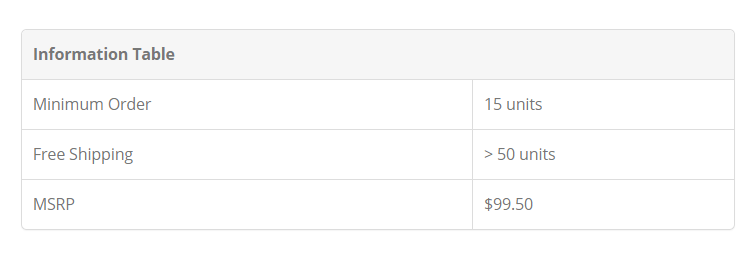
- Custom Information Table for each product: you can now highlight any custom information or rules (e.g. MSRP, Min Order, Free Shipping Rules, etc.)
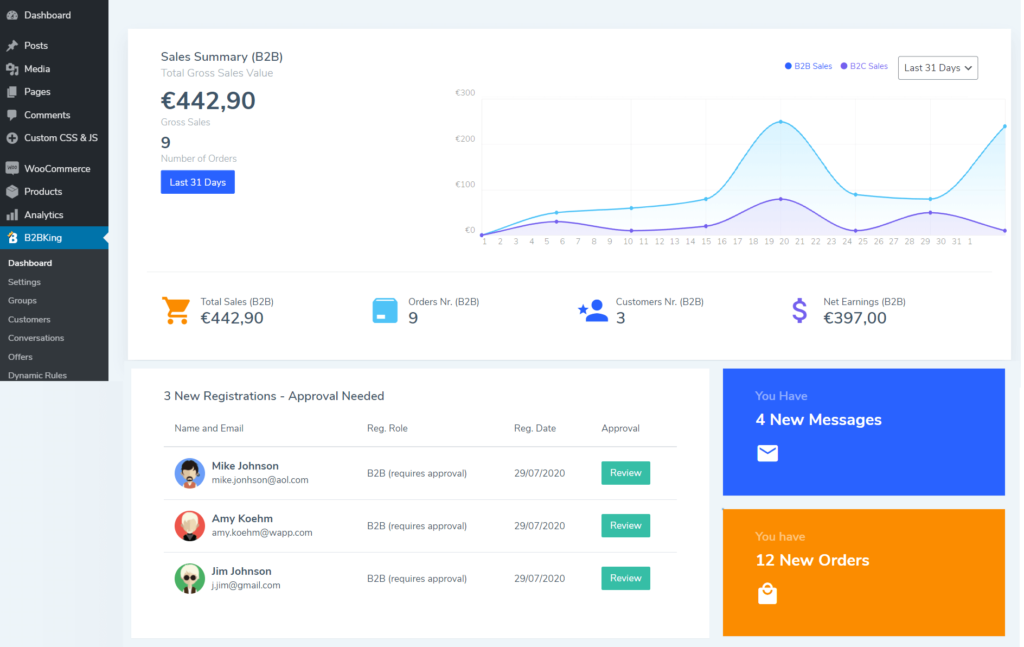
- Dedicated B2B Dashboard with B2B/B2C sales split, new registrations that require approval, new messages/orders
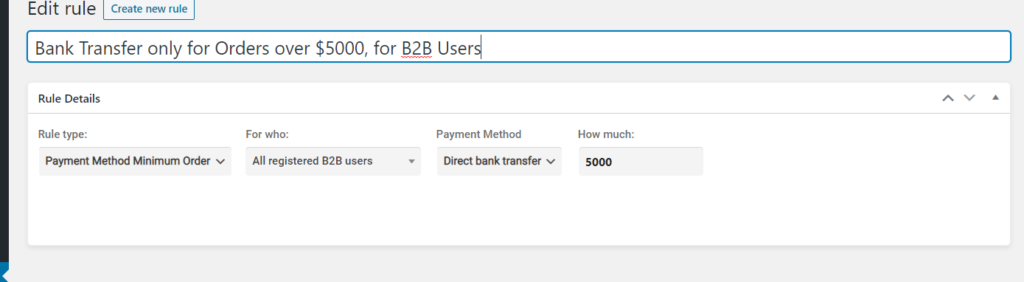
- Dynamic Rule: Payment Method Minimum Order. Example: Bank Transfer is available only for orders of $1000 or more.
- WP Roles Support
Tiered Pricing
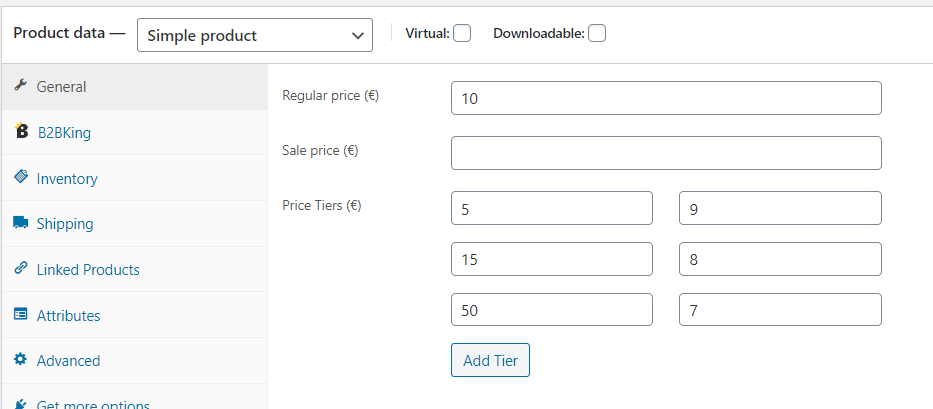
In each product's and each variation's pricing section, you can now find price tiers. Price tiers are available both for regular users and for each specific B2B group. You can set a minimum quantity and the fixed price per unit for purchases over that quantity.
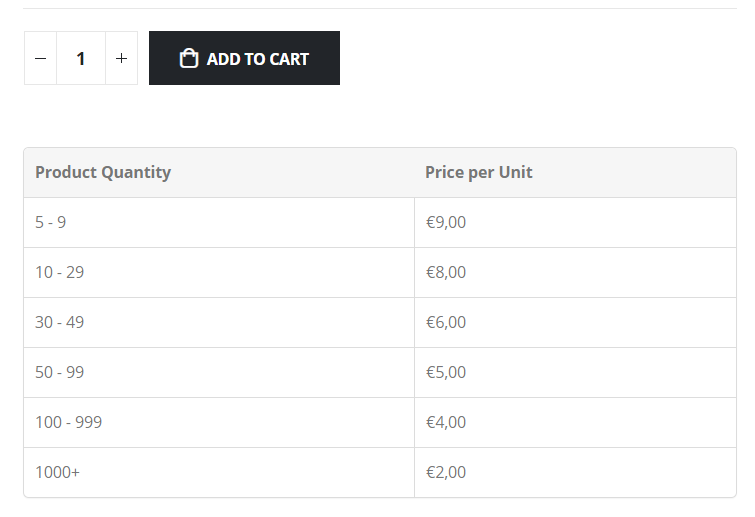
The tiered pricing can optionally be displayed in a tiered pricing table that B2BKing automatically generates based on your rules. The table design adapts to any theme. Below is an example of the table displayed with the Porto theme.
Custom Information Table
Since B2BKing allows you to add a large number of custom rules (e.g. minimum quantity/value, free shipping, discounts, etc.), you may also want to display these to users for each product. B2BKing introduces a Custom Information Table for each product in the latest update, allowing you to define any custom data you want: MSRP, Weight, Size, Discount Thresholds, Min Orders, etc.
Dedicated B2B Dashboard
The newly added dashboard gives users better control over their shop and makes it easier to see all relevant B2B data in 1 place.
Dynamic Rule: Restrict Payment Methods
You can now set minimum order amounts for payment methods for specific users or groups through a dynamic rule.
WP Roles
Finally, another important addition is the association of B2BKing groups with WP Roles. This allows users to better use B2BKing together with other plugins and set additional rules and configurations based on the roles created by B2BKing. Each group has its own role.
To best manage roles, we recommend installing a plugin that visually displays multiple roles (by default, the WordPress interface shows only 1 role, even though the code technically accepts many roles at once).
This is an excellent free plugin for that purpose: https://wordpress.org/plugins/multiple-roles/

