
How to Enable Net 30 Payment Terms in WooCommerce (B2B)
B2BKing has a built-in Invoice Payments feature that allows your business customers to check out and choose to pay later or receive an invoice at a later time.
By default, this method does not mention specific terms, but it is fully editable and you can enter any terms and conditions in the description.
For example, if you wanted to offer NET 30 terms to your customers, you could edit the invoice method via WooCommerce -> Settings -> Payments and set up the following info:
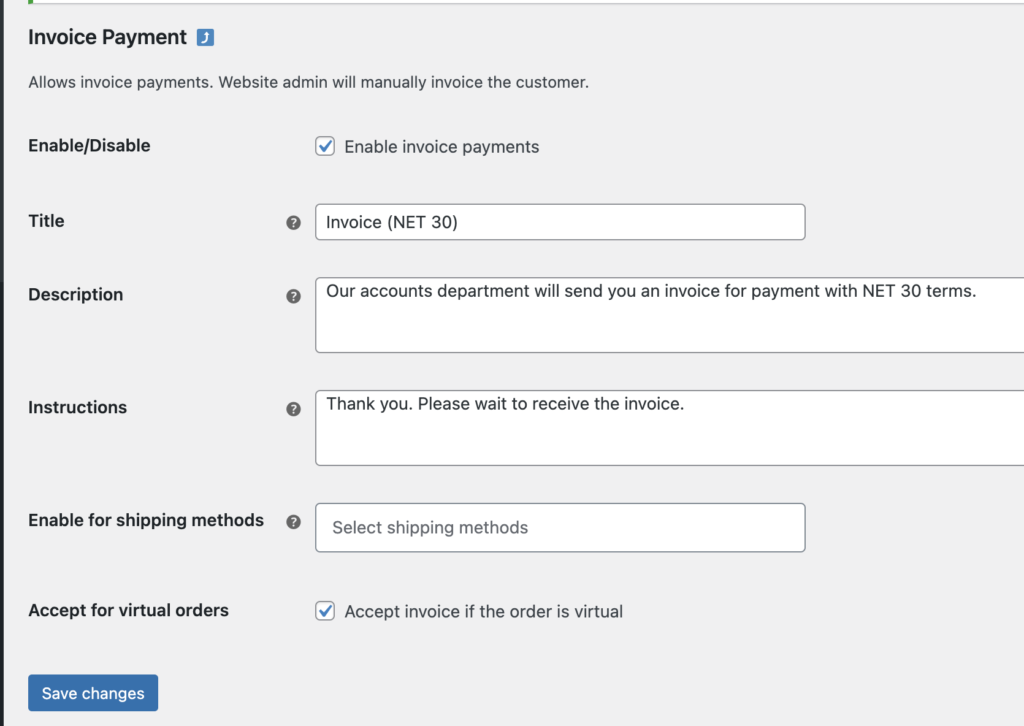
The customer will then see the following option during checkout:
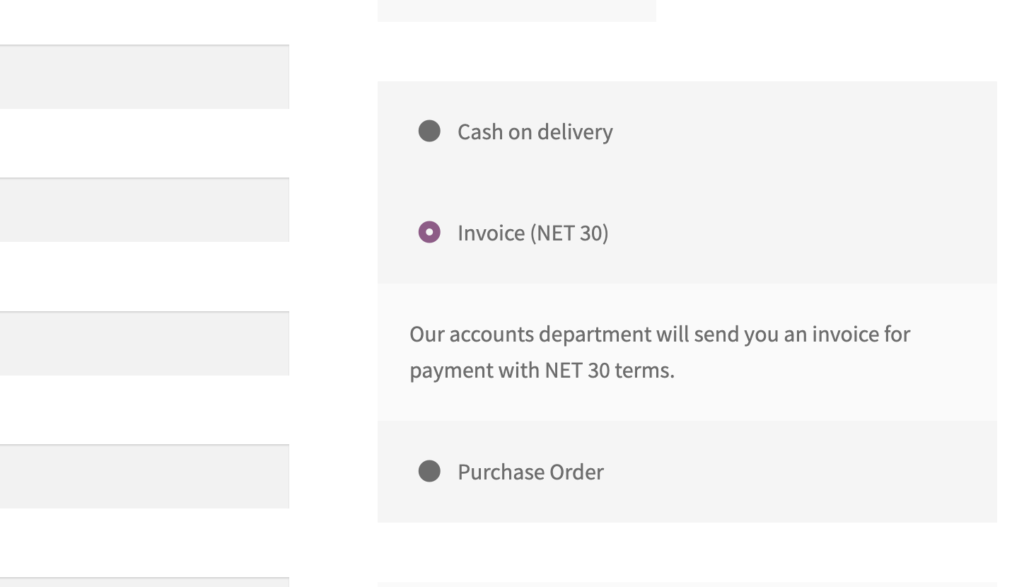
You can also set it up so that only approved B2B users have access to this invoice method. You can choose specific user groups that will be able to use it, or even individual customers (by username). The method will not appear for users who are not enabled (e.g. retail customers).
B2BKing does not generate actual invoices. For that, you can use a free, compatible invoice plugin such as the popular WooCommerce PDF Invoices & Packing Slips plugin.
B2BKing is a complete B2B & Wholesale solution for WooCommerce with hundreds of features, including:
- Wholesale bulk order form
- Business registration
- VAT number support and VAT validation
- Tax exemptions
- Quote requests and negotiated price offers
- Special discounts and terms for B2B customers
- Minimum order conditions
- Tiered pricing and price tables
and so much more!

