
WooCommerce Tiered Pricing & Price Table
Introduced in B2BKing version 2.2.0, tiered pricing and tiered price tables are a powerful addition to any WooCommerce wholesale store. With tiered pricing, you can set different prices for each quantity range. Furthermore, each group in B2BKing can have its own ranges and prices, allowing for a high degree of flexibility and versatility.
What can you do with tiered pricing?
Here are some examples of what you can do:
- For product X, resellers pay $10/unit if they purchase between 1 and 10 units, and $9 if they purchase more than 10 units.
- For the same product, users in the VIP group pay $7/unit for purchases under 100 units, and only $5 for purchases of over 100 units.
This can be set up with unlimited user groups and unlimited price tiers. The pricing is displayed on the frontend through an automatically generated tiered price table. Here's what it looks like:
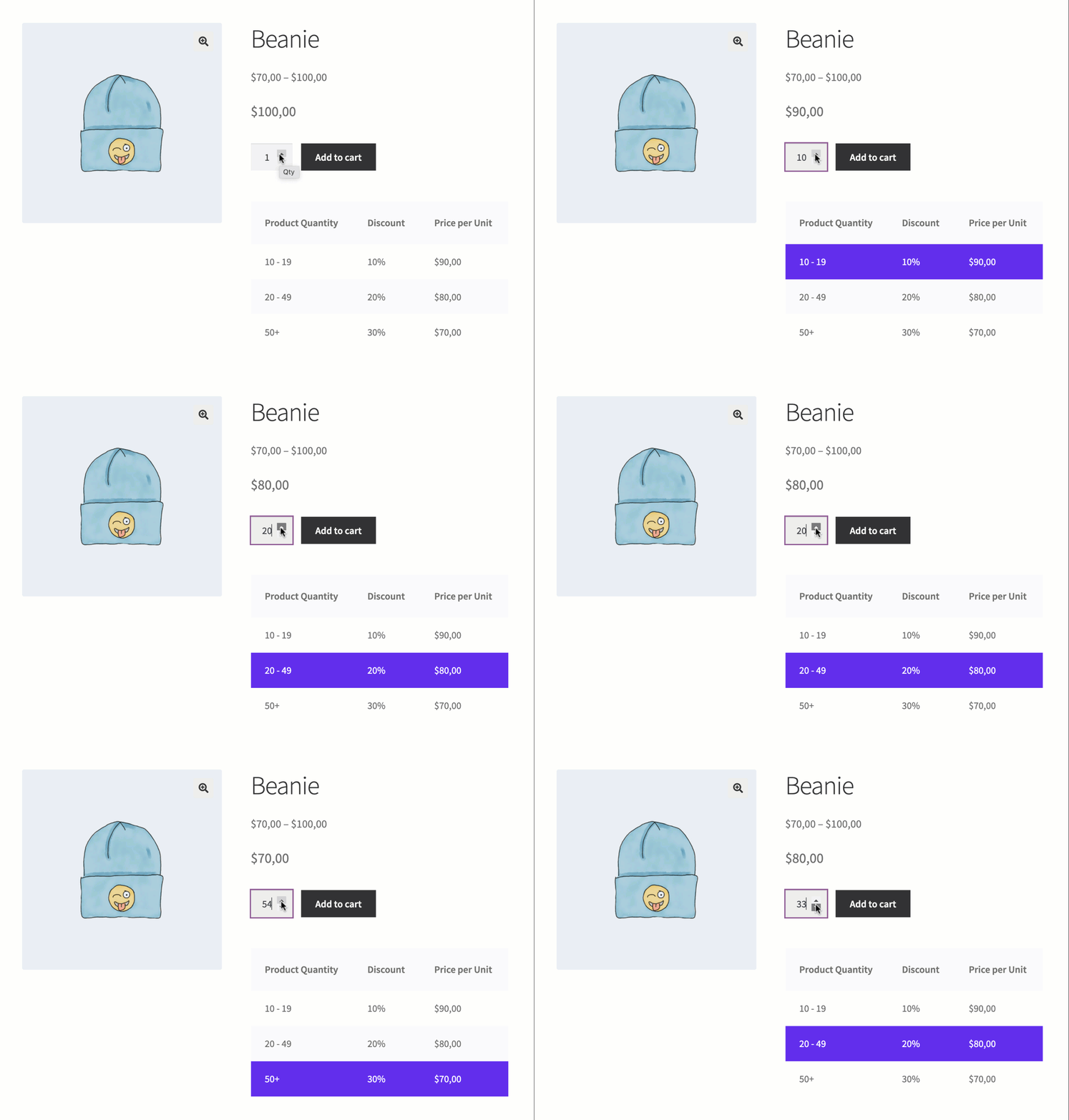
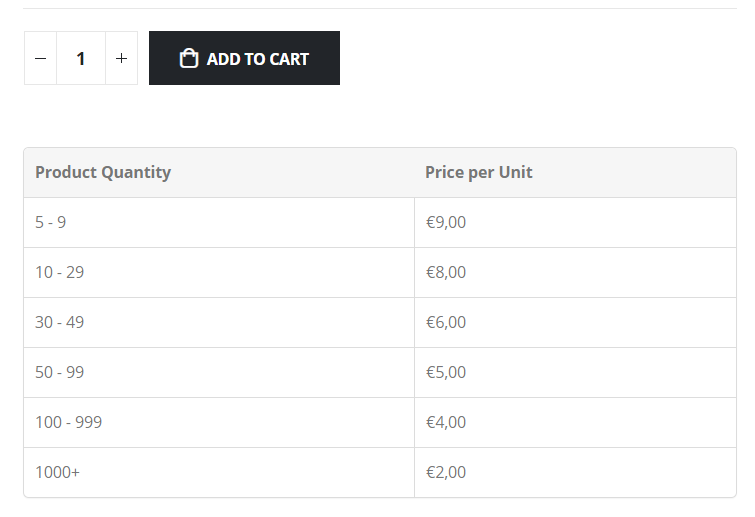
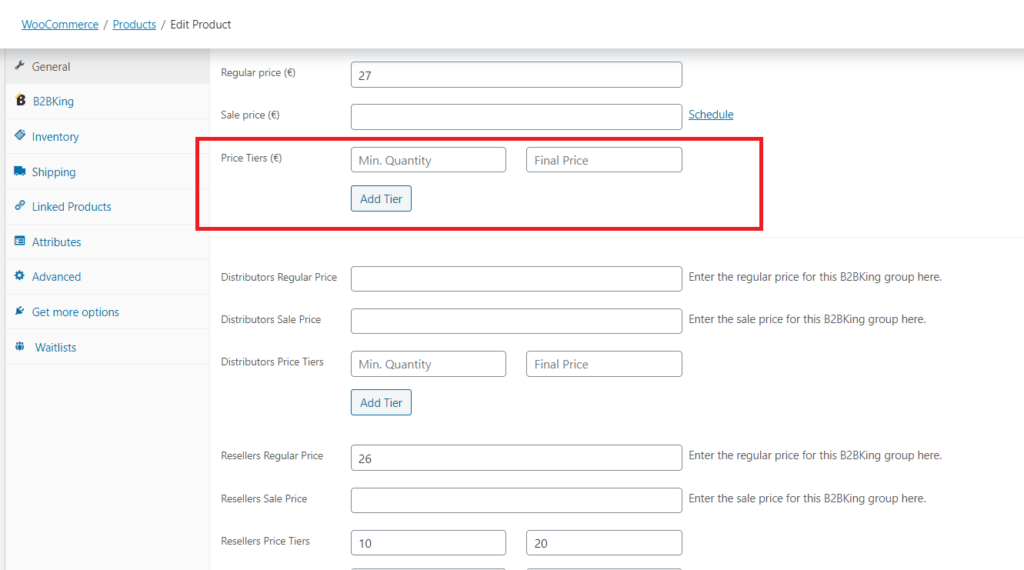
This is configured for each product and for each variation (it supports different tables and setups for each variation) in the backend on the product page.
Tiered Price Table - Frontend Display
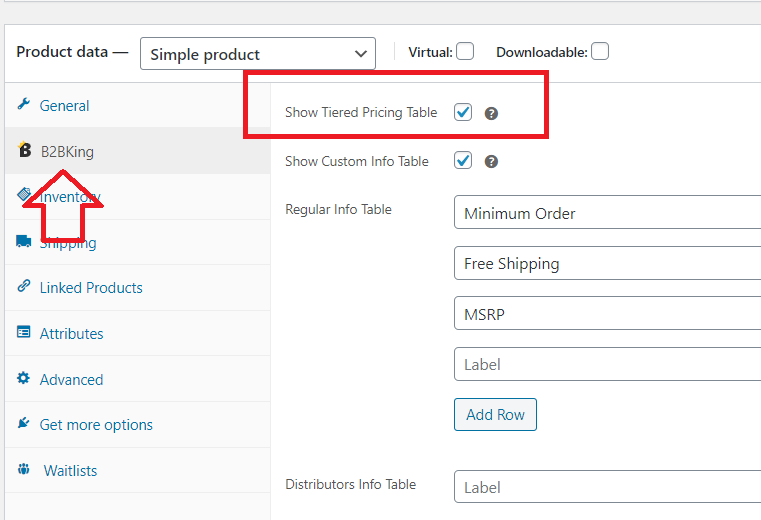
The tiered pricing table is enabled by default but is optional. It can be controlled in the B2BKing panel on the product page using the dedicated checkbox: "Show Tiered Pricing Table".
The table design adapts seamlessly to your store's theme by using its table class. It will integrate perfectly with every theme, whether you're using Porto, Flatsome, Woodmart, or any other theme on the market (provided it's built properly).
Who can see the table - Guests, B2C, and B2B
For each product and variation, there is a "Regular" table generated by the "regular price tiers" fields.
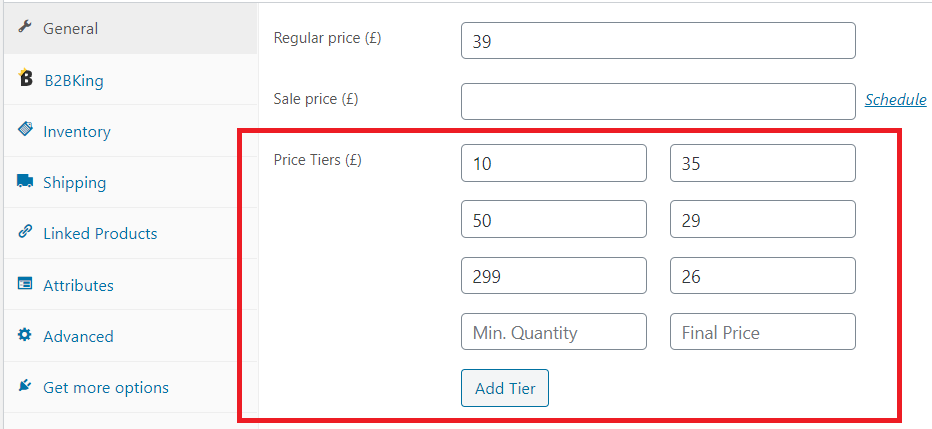
This is the basic default price table, which all users (whether logged out or logged in) have access to. Price tiers and the table are optional, so if you don't want a regular table, simply leave the price tier fields for regular users empty.
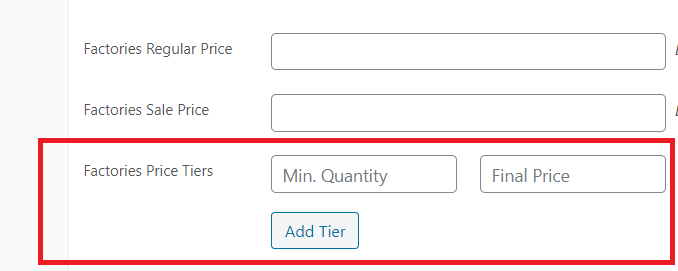
Below the regular table, there are individual tables for each business group that you create in B2BKing->Groups->Business. Users in those groups will see the price table for their group, if one exists. If one does not exist, they will see the regular table instead, if that exists.
If you don't want to show a table for a group, simply leave the fields for that group empty.
How Prices Update
Many plugins of this kind simply calculate a discount in the cart. B2BKing does not do that. Instead, the plugin changes the price directly on the website based on the number of products in the cart.
After the user adds or removes items from the cart, the price immediately changes on the website if the quantity falls under a different price tier.
Dynamic Pricing in B2BKing: Quantity and Amount
This is a form of quantity-based dynamic pricing. B2BKing has additional dynamic pricing features as well. For example, you can create discounts based on the amount purchased, discounts per category, per product, or even discounts per individual user.
B2BKing has a powerful dynamic rules system that lets you create complex, condition-based discounts to fit a variety of scenarios and business needs.
Additionally, the plugin supports different prices for different groups for the same product or variation. Outside of tiered pricing, you can also directly enter different prices for an item.
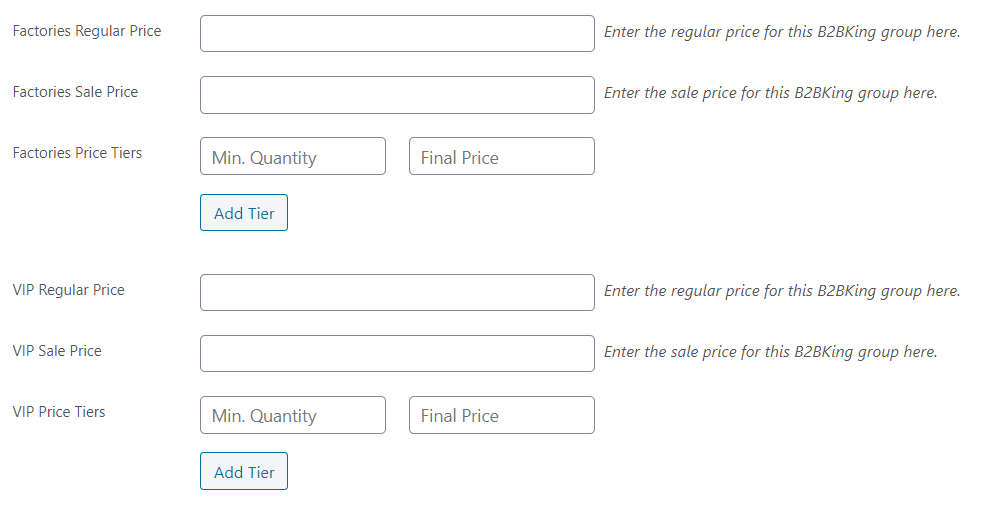
Each group has its own regular and sale prices for each product and each variation, displayed directly on the site once the user logs in.
For example:
- Guest users can see a price (e.g. $100). After registering as a wholesaler and having their account reviewed and approved, they log in and the price for the item instantly changes to $90, as the plugin detects the user's group price.
Wholesale and B2B Features
B2BKing is a complete wholesale solution for WooCommerce with 137+ features. In addition to what was discussed above, there are many more options dedicated to B2B e-commerce in the plugin:
- Wholesale Order Form
- Custom Registration Fields + Approval
- Separate B2B and B2C Registration Forms
- Tax Exemptions
- VAT Number Support and VIES Validation
- Multiple Buyers on Account with Permissions
- Request a Quote
- Hybrid B2B + B2C Mode
- Offers and Product Bundles
- Display Prices with or without Tax for B2B / B2C
- And more

