
WooCommerce Wholesale Registration - Custom Business Registration Form
In this article, let's look at how you can set up wholesale registration for your WooCommerce shop, with multiple registration options (e.g. reseller, wholesaler, etc.) and custom fields.
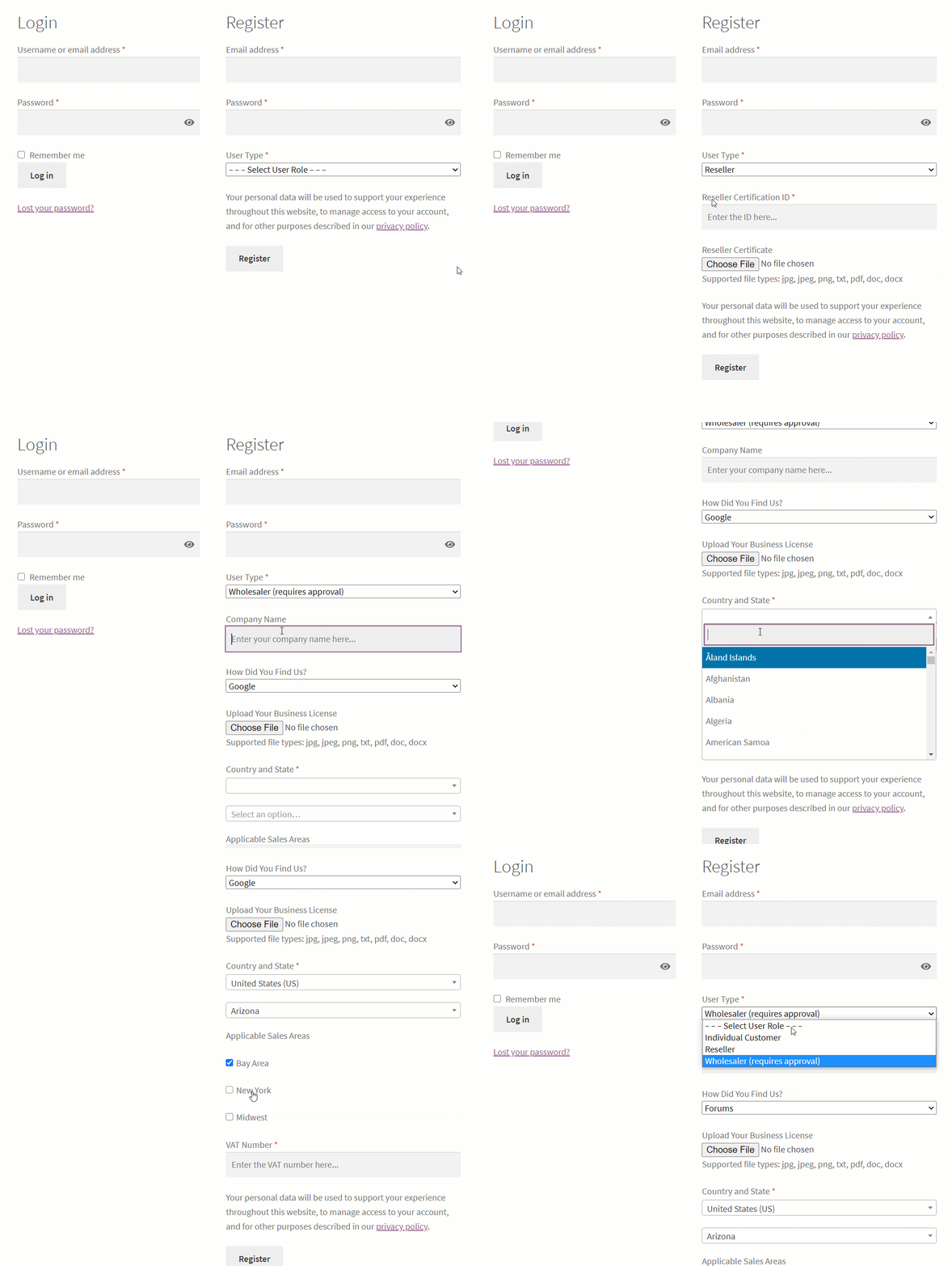
B2BKing is a WooCommerce wholesale plugin that adds 137+ premium features, enabling a complete B2B setup: registration, wholesale prices, product visibility, hiding prices from guests, discounts, invoice gateway, tax exemptions, and much more!
The plugin has 2 registration components:
- Registration Roles - these are the options the user can choose in the User Type dropdown in the image above.
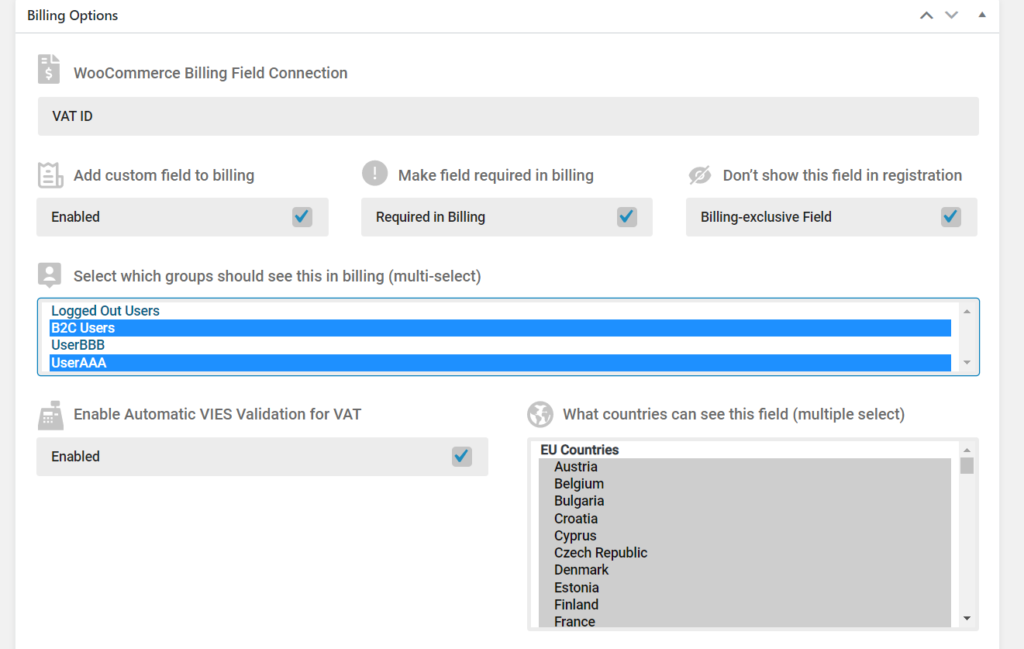
- Registration Fields - these are custom fields that you can configure to be anything you want. There are also built-in fields such as VAT, which supports VIES validation for EU countries.
Features:
- Separate B2B and B2C Registration Forms
- Extended Registration for Businesses with unlimited roles and custom fields.
- Automatic or Manual Registration Approval based on role. You can have manual approval for businesses and automatic approval for individual buyers.
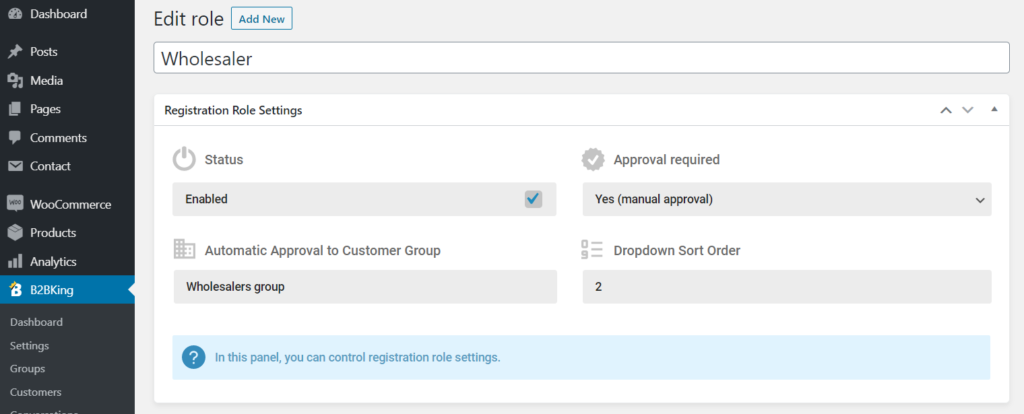
- Automatic Approval to Group - B2BKing can set different prices, content, payments, tax, etc. based on group. For each registration role, you can choose which group users applying for that role will be assigned to, and control what content and prices they see.
- 9 Types of Custom Fields: Text, Number, Date, File Upload, VAT, Checkboxes, etc.
- Registration Shortcodes to create separate registration pages. For example, you can have a special wholesale registration page.
- Automatic VAT number checking during registration through VIES.
- Email notifications, including a notification that users are waiting for approval.
- Dedicated Dashboard with Registrations Control
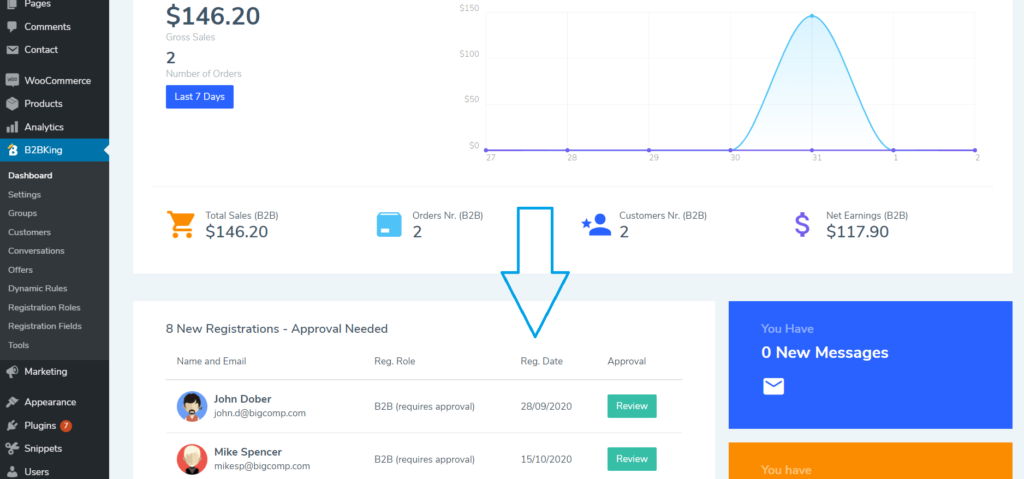
How It Works
In B2BKing > Registration Role, you can create an unlimited number of roles (options users can choose to apply for during registration). There are 2 default options that you can modify: Individual and Business.
Each role has its own custom fields. This means you can request different data from different users. You could ask individuals for email and password only, ask resellers for a reseller certificate, and ask wholesalers to fill in an elaborate form about their company.
You can also configure each custom field, choosing which roles it is visible for, whether it is required, added to billing, and much more.
Later on, you can use registration data to configure special rules for groups through dynamic rules. For example, you can choose to exempt from tax only users from specific countries. This is a common setup for European VAT, where you may choose to collect VAT only from businesses in certain countries. Other features such as custom taxes and withholding tax allow for a high level of flexibility.
Registration Approval
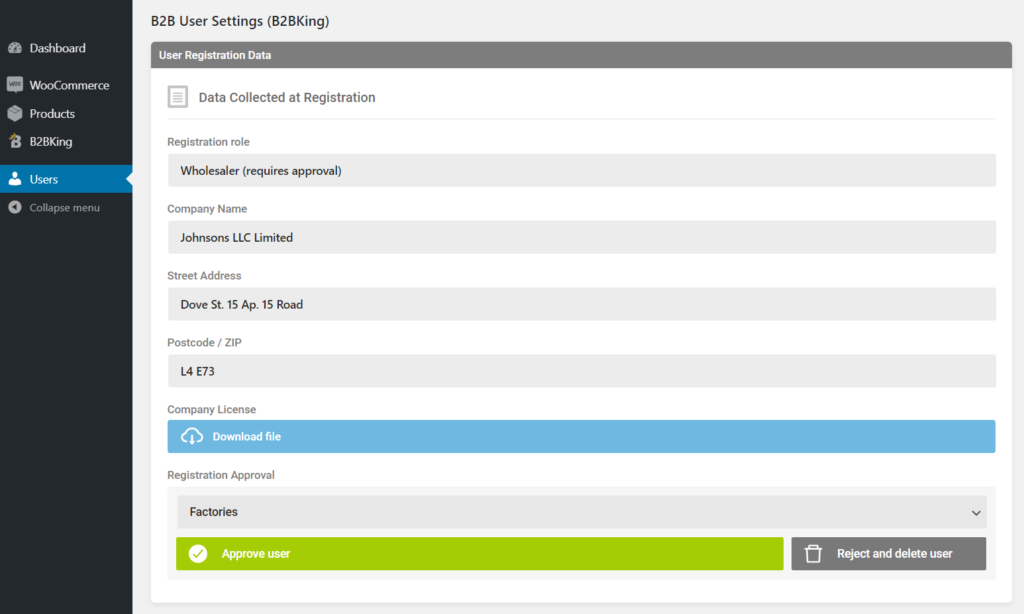
Once a user registers, they may be automatically approved or have to wait for manual approval, based on your settings.
If manual approval is used, the shop admin is notified by email. They can then review user data in the backend, download submitted files, and choose to approve or reject the user's registration.
Flexibility and Versatility
You can configure things in many different ways and set up a custom registration form based on your project's unique needs. You can have as many or as few fields as you want and collect only the data you need. Everything is configurable and built to be as versatile as possible.
Our demo below shows one way to set up the registration. Make sure to check it out and learn more about B2BKing.
Live Demo
If you would like to test B2BKing, there is a live demo that you can try on both the backend and frontend.
For the frontend, visit https://demobk2.wpbay.co/
For the backend demo, visit https://demobk2.wpbay.co/wp-admin/
Purchase B2BKing
Click to check out our current offers for B2BKing Pro!
- Product Visibility Control
- Payment and Shipping Methods Control by Group
- Wholesale Prices
- Bulk Discounts
- Tiered Pricing + Tiered Pricing Table
- Product Information Table
- Product Packages through Offers
- Conversation and Messaging System
- Request a Quote Functionality
- Dynamic Rules
- Tax Exemptions
- Invoice Payment Gateway
- Subaccounts - Multiple Users on One Account
- Prices Including or Excluding Tax based on User or Group
- Coupon Restrictions
- Content Restrictions for B2B or B2C
- Custom Taxes and Withholding Tax
- Hidden Prices and Shop
- Minimum and Maximum Order Values
- Minimum Order to Use Payment Method
- and so much more!

