
WooCommerce Catalog Visibility & Product Visibility Options
If you're looking to set up product visibility, category visibility, or create unique product catalogs for each of your business users, B2BKing is the perfect solution.
B2BKing's powerful catalog visibility solution includes:
- Visibility by Category
- Visibility by Product
- Organize business users into groups and set visibility per group
- Hide prices for Guests
- Hide prices for Specific Items, Variations, or Categories
- Content Restriction: Show Different Content to Different Users
- and 137+ other premium features for wholesale shops.
In this article, let's explore the plugin's visibility functionalities and how they work.
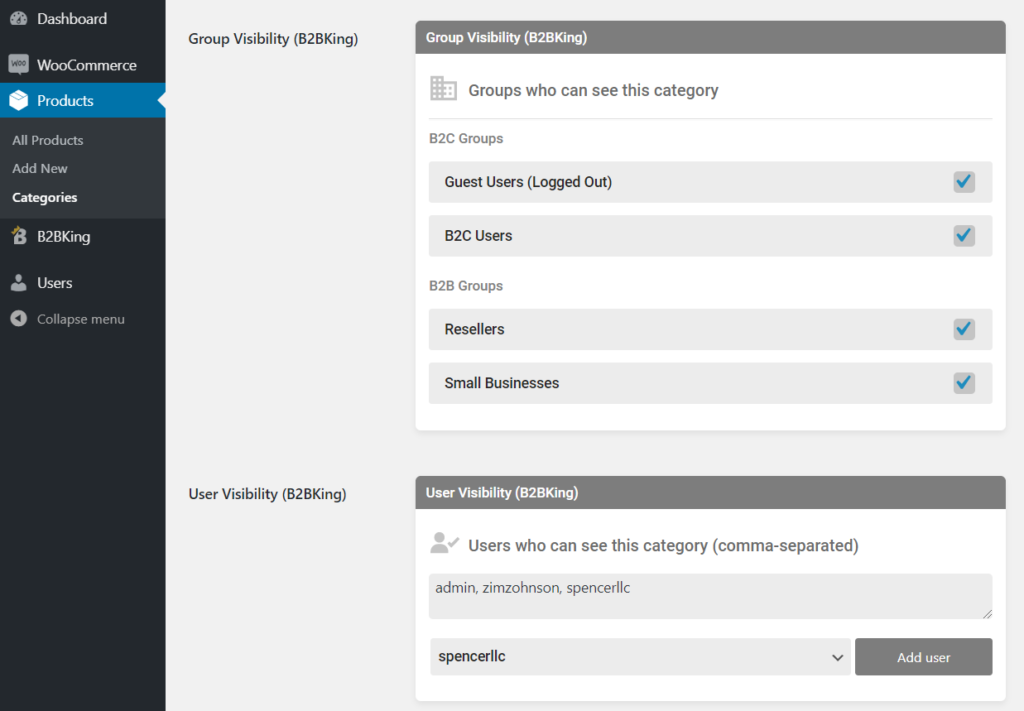
As shown in the image above, for each category in the shop you can control visibility for guest users, B2C users, and all B2B groups you create, such as resellers or small businesses. You can even set visibility directly for specific users by entering their usernames.
The plugin uses a powerful group-based user management system where you can create unlimited groups and organize users through them.
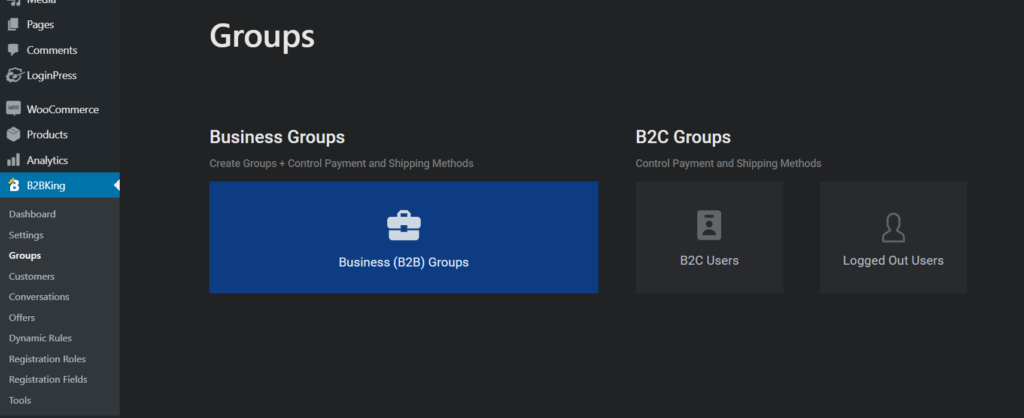
Based on group, you can set visibility, restrict content, restrict payment or shipping methods, set wholesale prices, discounts, taxes, and much more!
Product Visibility Options
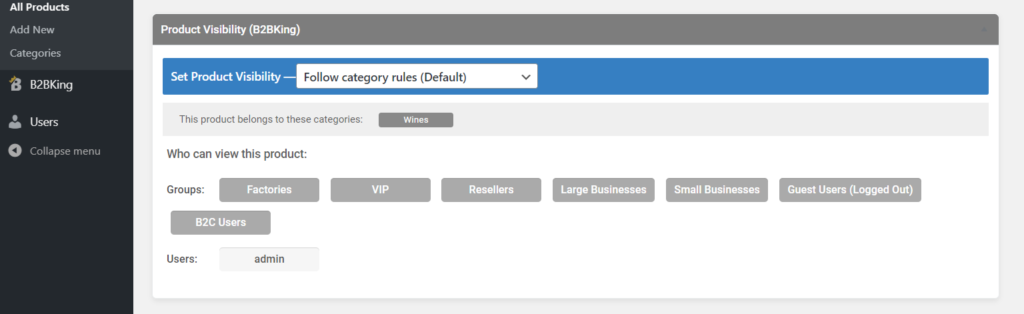
The plugin sets visibility by category by default, but you can also set visibility by product. To do so, simply go into a product's backend and switch from the default category visibility to manual visibility mode.
Default setup per product:
Manual visibility per product:
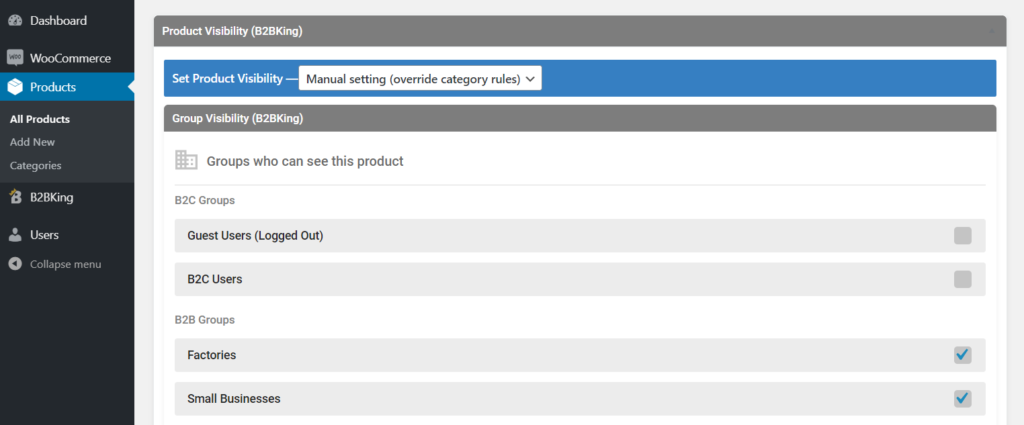
Setting visibility per product will override category visibility.
In conclusion, the visibility system is powerful, in-depth, and very simple to use. You can configure visibility for individual items, users, or groups in any combination to create unique product catalogs for each user. You can also set up unique wholesale pricing for each user or group.
Metadata and Bulk Visibility: All settings in B2BKing are controlled through metadata, so you can also bulk-import visibility settings. However, this is a complex topic that won't be covered fully in this article. Get in touch with our team for instructions on setting up visibility programmatically.
Hiding Prices and Products for Guests
If you're looking to hide prices or products for guest users (logged out), B2BKing has a simple setting that controls Guest User Access Restriction.
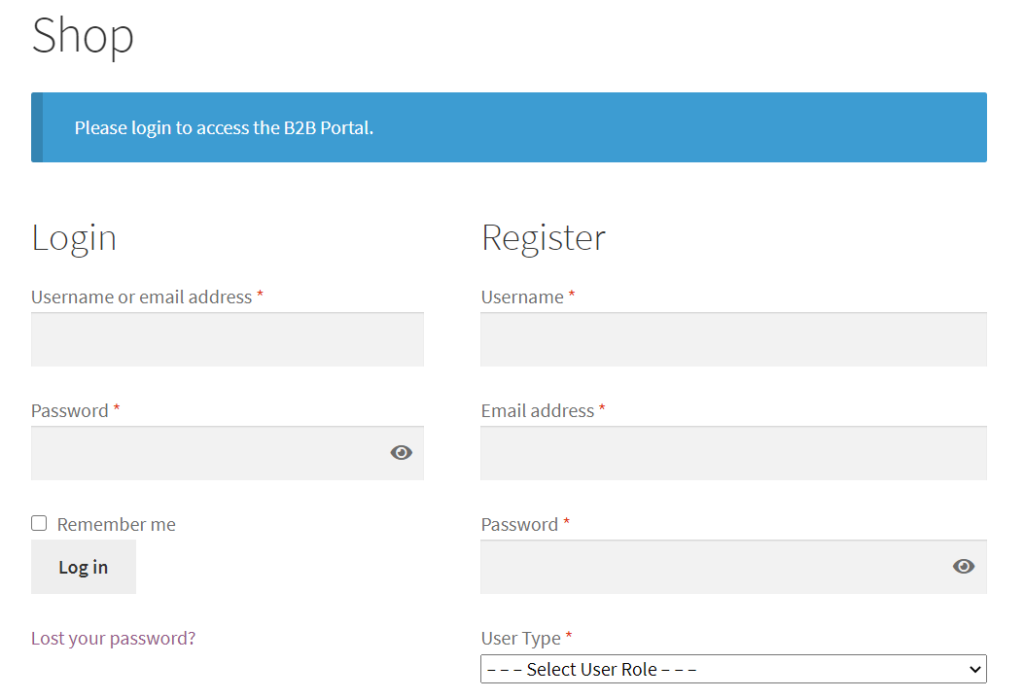
You can choose to hide prices for guests (and replace them with custom text such as "Login to view prices"), replace prices with a quote request system, or replace the shop with a login screen.
Quote Request System
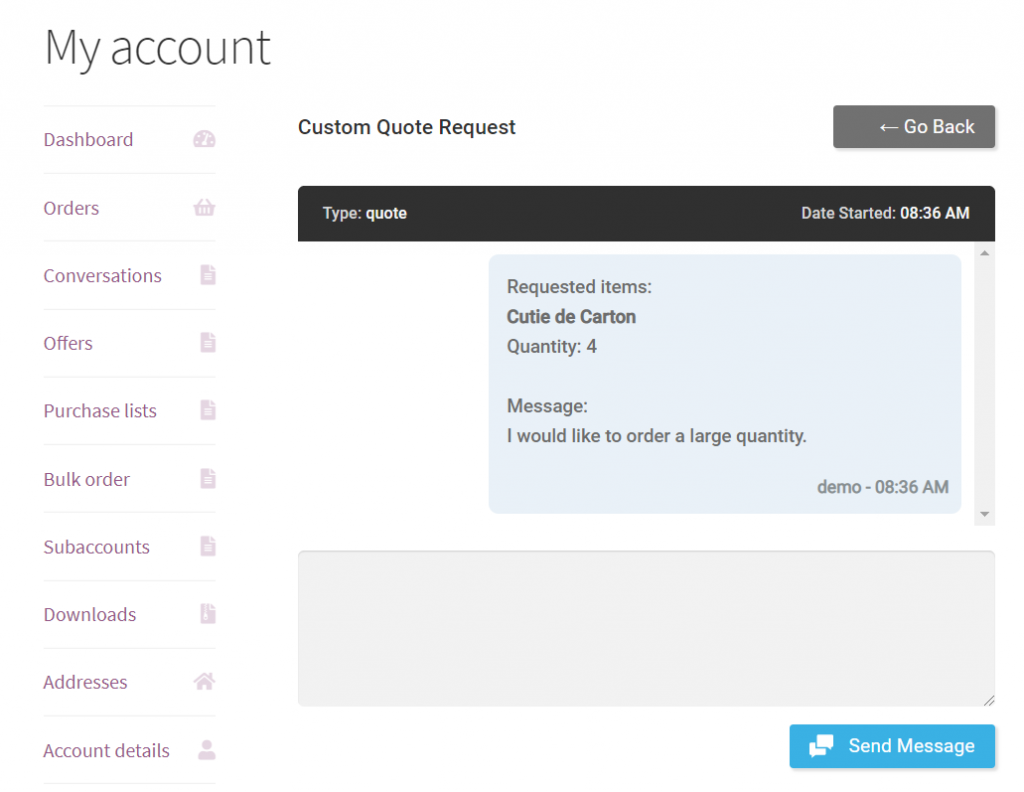
You can enable the quote system for guests or for any user or group through the plugin's dynamic rules functionality. Quotes take over the cart and create a new message in the backend under B2BKing > Conversations. Through conversations, you can negotiate with users and eventually create an offer for them, which they can purchase in their My Account section.
Hiding Prices for Specific Items through Dynamic Rules
In a previous section, we discussed a simple setting that hides prices for all items for all guest users. If you'd like to hide prices per category, or for specific users or groups, you can do that as well through the plugin's dynamic rules.
Specifically, using the "Hidden Price" dynamic rule, you can hide prices for items in any combination or setup.
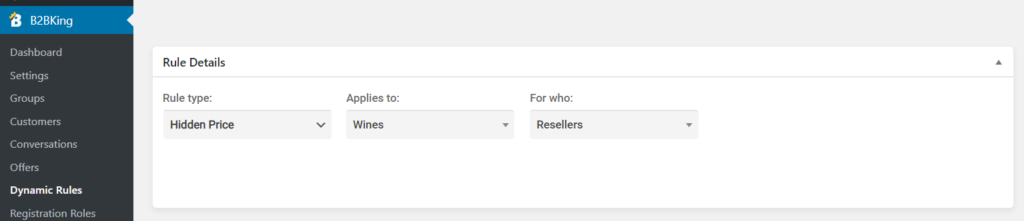
For example, in the image above, the price is hidden for all items in the Wines category for all users in the Resellers group.
Restricting Content for Users or Groups
Another common need related to product visibility is showing different content to different users. B2BKing has a special content restriction shortcode that you can use anywhere on the site, including in product descriptions.
For example, you can show some content to logged-in B2B users, different content to users in a special premium group, and a restriction message to logged-out users. Visit the link above to learn more about how this works.
Learn More about B2BKing
B2BKing is packed with 137+ premium features, and there is so much more to discover. We built it to be the ultimate wholesale and B2B solution for WooCommerce. Here are just a few of its main features:
- Wholesale Pricing and Bulk Discounts
- Tiered Pricing and Tiered Price Table
- Conversations and Messaging System
- Tax Exemptions and Displaying Prices with or without Tax
- Invoice Payment Gateway
- Shipping and Payment Methods Control
- Wholesale Bulk Order Form
- Custom Taxes and Withholding Tax
- Multiple Buyers on Account (Subaccounts)
- Offers and Product Bundles
- Purchase Lists (Requisition Lists)
- and much more!

