
Wholesale For WooCommerce: Complete Plugin Solution
Wholesale stores accumulate requirements faster than most people anticipate. You launch with discounted prices for logged-in business users, a registration form, and maybe a minimum order value. Within a few months the requests start arriving: thirty-day payment terms, purchasing managers who need to approve orders, customers asking for formal quotes before they commit.
None of it is unusual. It is simply what wholesale looks like in practice, and the real work lies in managing relationships with dozens or hundreds of buyers, each with their own terms, payment agreements, minimum orders, and purchasing habits.
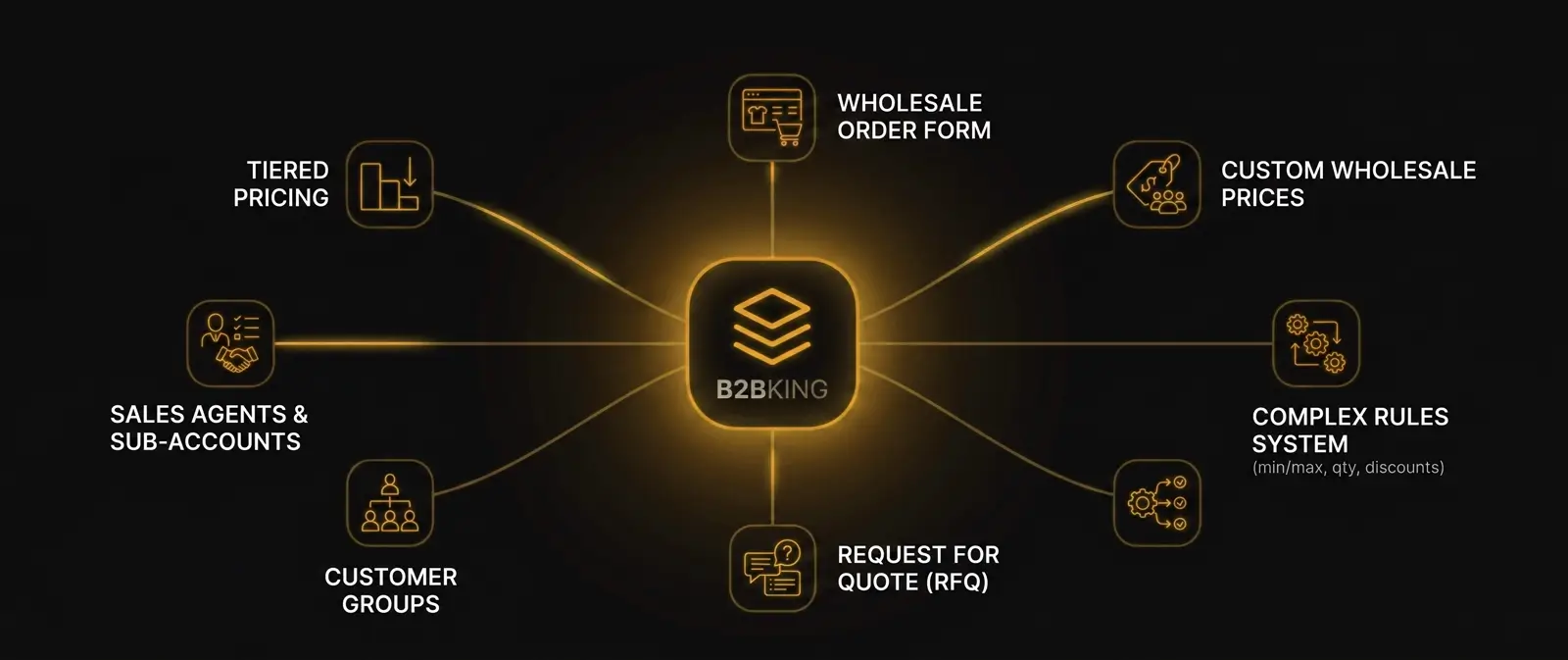
That is why the plugin you choose matters so much. For a basic setup, where you simply want to offer reduced prices to logged-in wholesale users, a lightweight tool like a simple wholesale prices plugin is often enough. For any serious B2B operation, however, you will quickly outgrow that approach. What you need instead is a system that covers everything from registration and onboarding through checkout, invoicing, and ongoing account management. We compare the main options in our guide to the best WooCommerce B2B plugins.
Consider a few requirements that rarely make it into feature lists but often surface in practice:
- Disabling coupons for wholesale buyers, since your prices are already negotiated and promotional codes would undercut your margins.
- Restricting payment methods above a threshold, for example requiring bank transfer on any order above $1,000 because processing a large card payment carries unacceptable fees.
- Surcharging specific methods, such as allowing PayPal but automatically adding 5% at checkout to cover processing and chargeback risk.
These kinds of rules are the fabric of a real wholesale operation, and flexibility is the single most important quality in a wholesale plugin. Different customers have different flows, different products, different terms. A tool that forces them all into the same mold eventually becomes a constraint rather than a solution.
Product visibility is a useful illustration: for some buyers you may want to hide entire categories, for others to reveal them, and for a third group to show products but gate prices behind an approval step. The sections below walk through the areas where B2BKing provides this kind of control, and how those pieces connect into a single coherent system.
1. Pricing
Many wholesale plugins begin and end with pricing. In B2BKing, pricing is foundational, but the system extends well beyond it. The pricing engine itself comes in several distinct layers: direct wholesale prices, quantity-based tiers, a rules engine for dynamic discounts, as well as more complex setups like individual customer prices.
Wholesale Prices
The simplest mechanism is a fixed wholesale price assigned per product. In B2BKing, these prices are scoped to customer groups rather than to individual users, which is what makes the system scale. You define a Gold group, for example, set its prices once, and every customer belonging to that group sees the same rates automatically. When a buyer is promoted between groups, their prices change in the background without any manual update on your side.
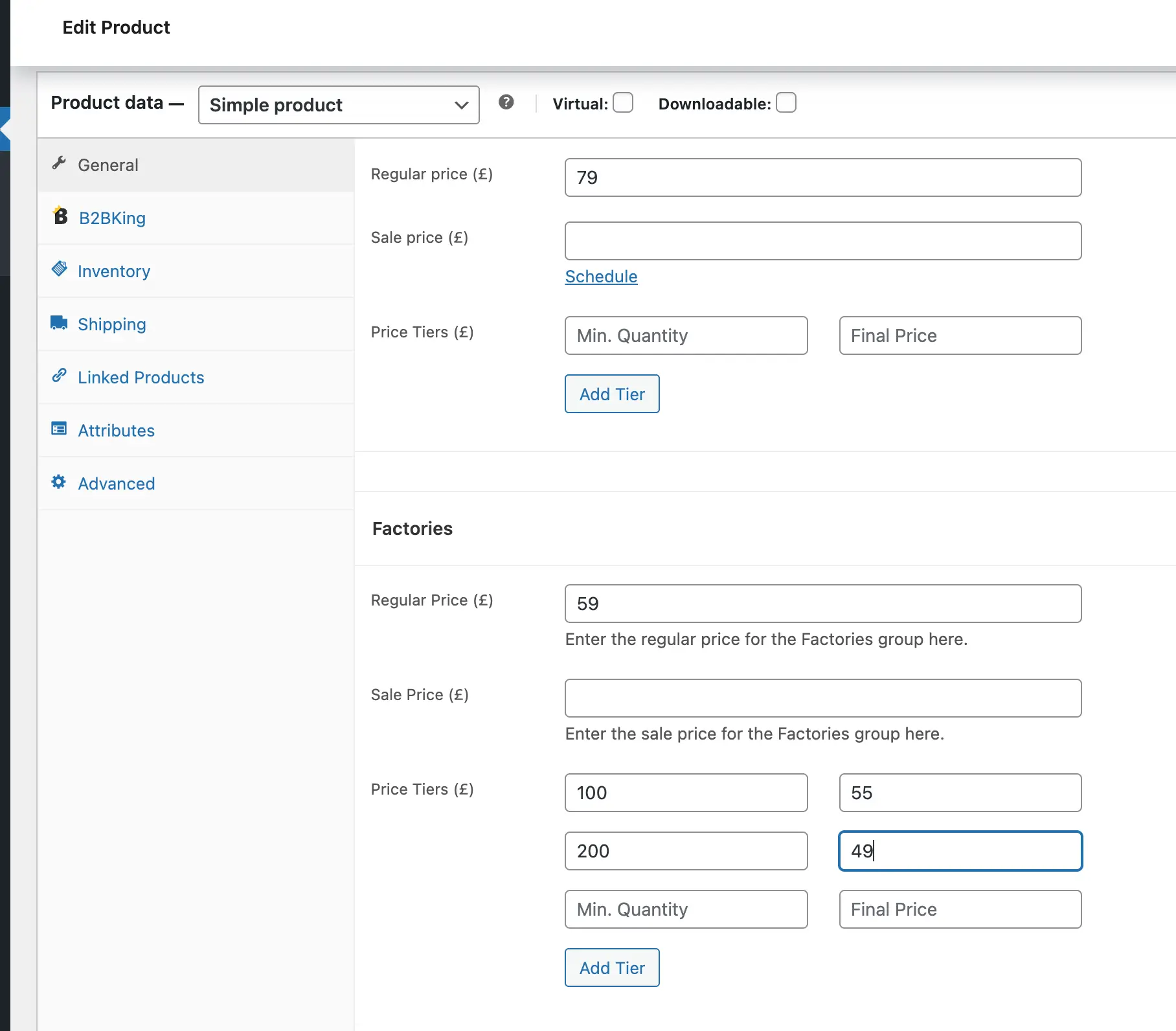
You can set group prices on a per-product basis where precision matters, and fall back to broader rules for the rest of your catalog. For shops with a handful of distinct buyer tiers, this is often the only pricing control needed.
Tiered Pricing
Tiered pricing, where the unit cost decreases as quantity increases, is the pattern most real wholesale agreements follow. A buyer who orders 100 units earns a better rate than one ordering 10, and a buyer ordering 1,000 earns a better rate still. B2BKing supports tiered pricing directly, and one of its more visible touches is that a clean, animated pricing table is generated automatically on each product page. Buyers can see, at a glance, exactly how the price changes with volume.
Because these tables are produced by the plugin itself, you do not need to style or maintain them separately. They update instantly when you change the tier breakpoints, and they remain consistent across every product in the catalog. That small piece of visual transparency often translates directly into larger order sizes, because buyers can immediately see whether adding a few more units will push them into the next tier.
Discount Rules
Where fixed prices and tiers end, the dynamic rules engine takes over. Rules let you express complex pricing logic without touching individual products. A single rule can target:
- A specific product, tag, brand, or category
- A specific customer or customer group
- Any combination of the above
For example, you might configure a 15% discount on everything in the Outdoor category for the Distributors group, a buy-two-get-one offer on a specific brand limited to VIP customers, or an additional 5% off selected tags during a promotional window. Raise price rules, fixed override prices, and BOGO rules sit alongside discount rules in the same engine, so any pricing arrangement your business has negotiated can be represented without custom development.
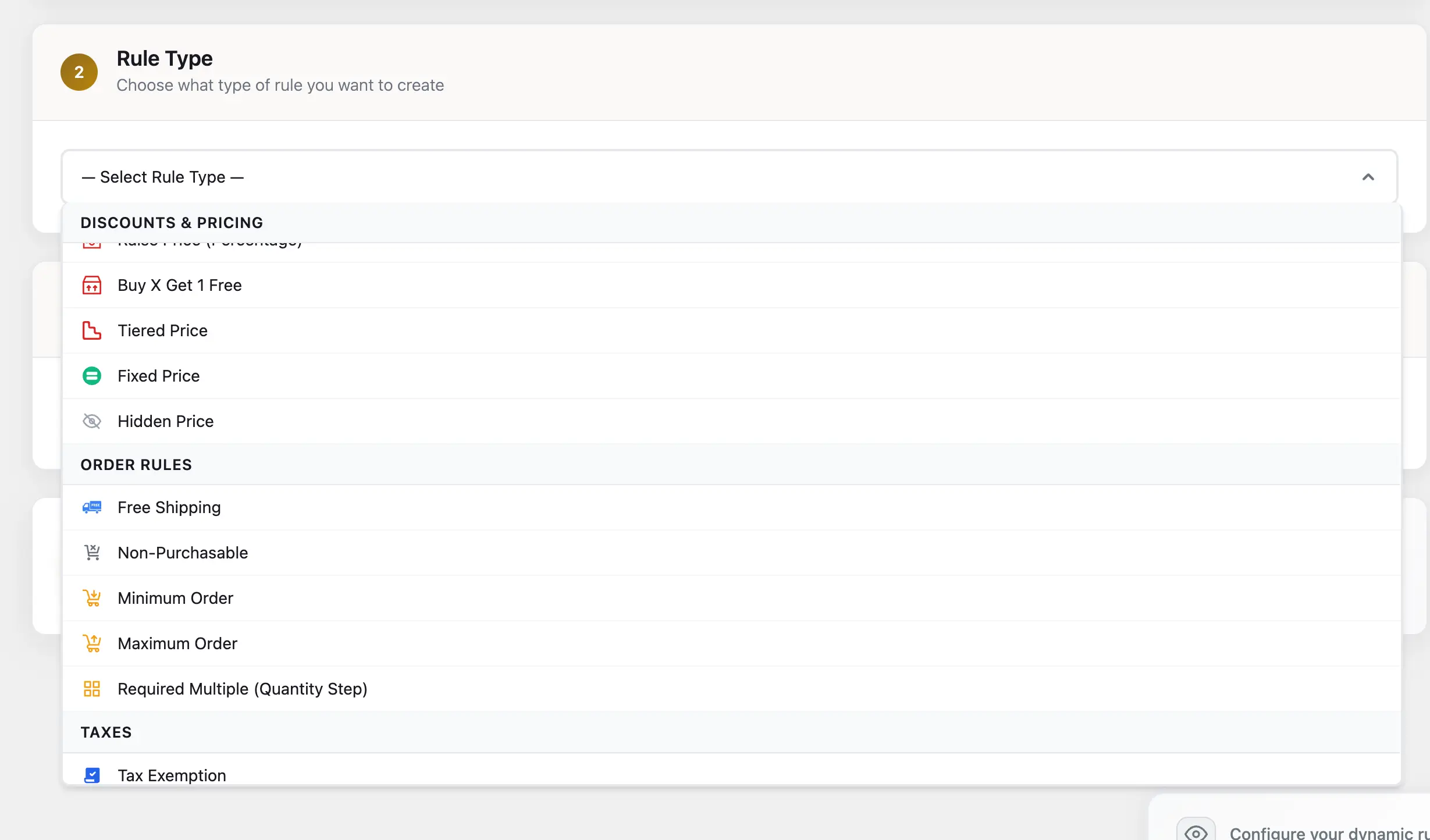
The important point is not that every shop will use every type of rule, but that whatever pricing structure you have agreed with a buyer, the plugin can represent it faithfully.
2. Payment and Shipping Methods
Pricing rarely operates in isolation from payment in wholesale. A customer purchasing $20,000 of goods per month will have a very different payment arrangement than a new account placing their first $300 order. B2BKing lets you control, per customer or per customer group, which payment and shipping methods appear at checkout.
Beyond simply hiding or showing methods, you can:
- Apply a discount or surcharge on a specific method, to steer behavior or recover processing costs
- Set a minimum or maximum order value per method, so bank transfer appears only above a threshold and card payments only below it
- Restrict specific products from certain methods, which matters for heavy, fragile, or regulated items that cannot ship through standard couriers
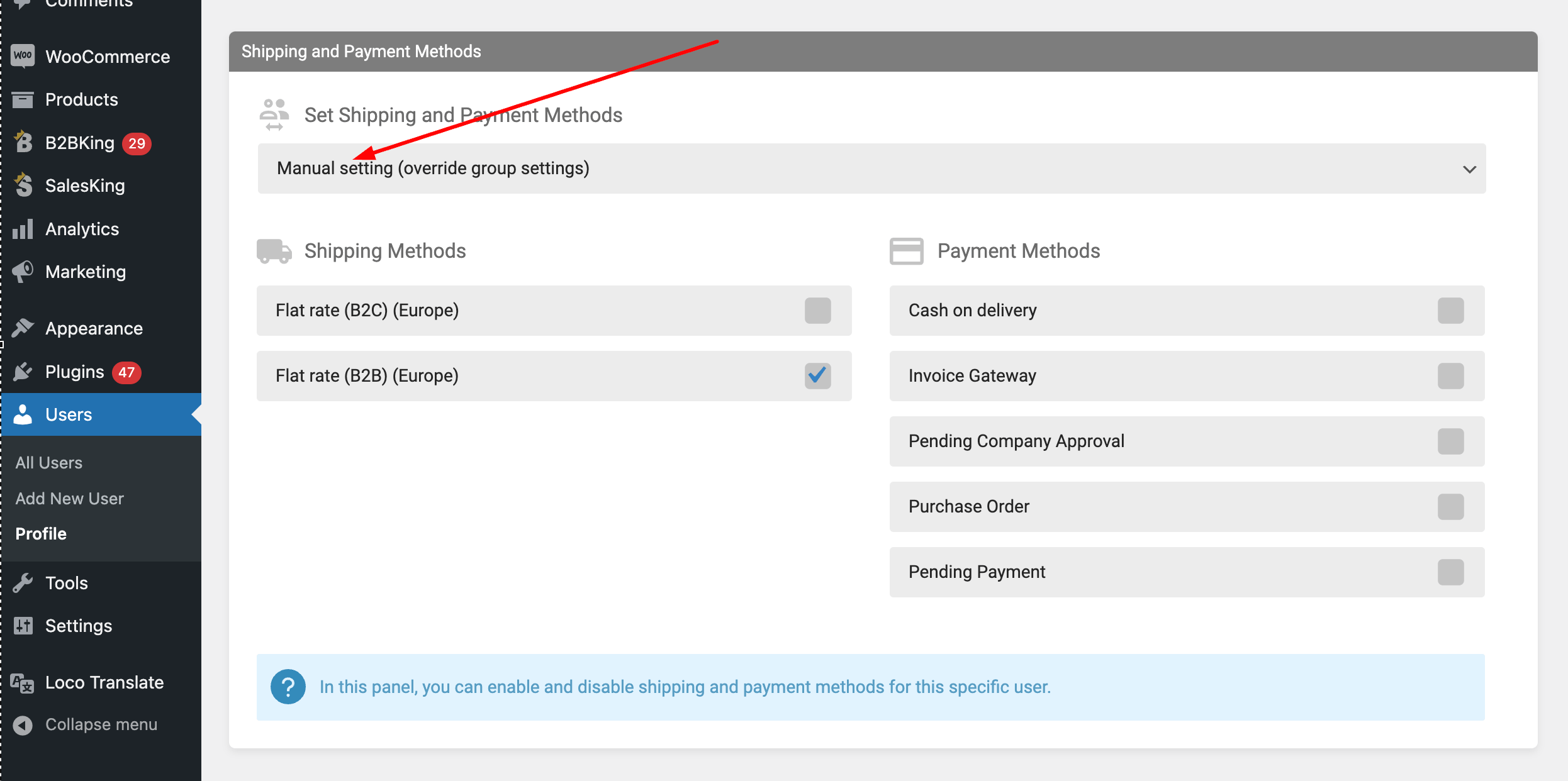
Used together, these controls let you build a checkout experience that reflects the actual terms you have with each buyer, rather than forcing every customer through an identical generic flow.
3. Customer Groups and Ranks
Customer groups are the organizing principle behind almost everything else in a wholesale shop. Rather than configuring rules for each buyer individually, you create groups (Bronze, Silver, Gold, Distributors, Resellers, whatever fits your business) and attach pricing, payment methods, product visibility, and terms to each one. A new customer enters the system through a group, and from that point on they inherit every rule attached to it.
Where B2BKing extends further is in automating movement between groups. With Group Rules, a regular customer who crosses a spending threshold can be promoted automatically. Once a buyer has purchased $50,000 in the last twelve months, for instance, they move into the VIP group and gain access to an additional 2% discount, different payment terms, or whatever other benefits you have defined.
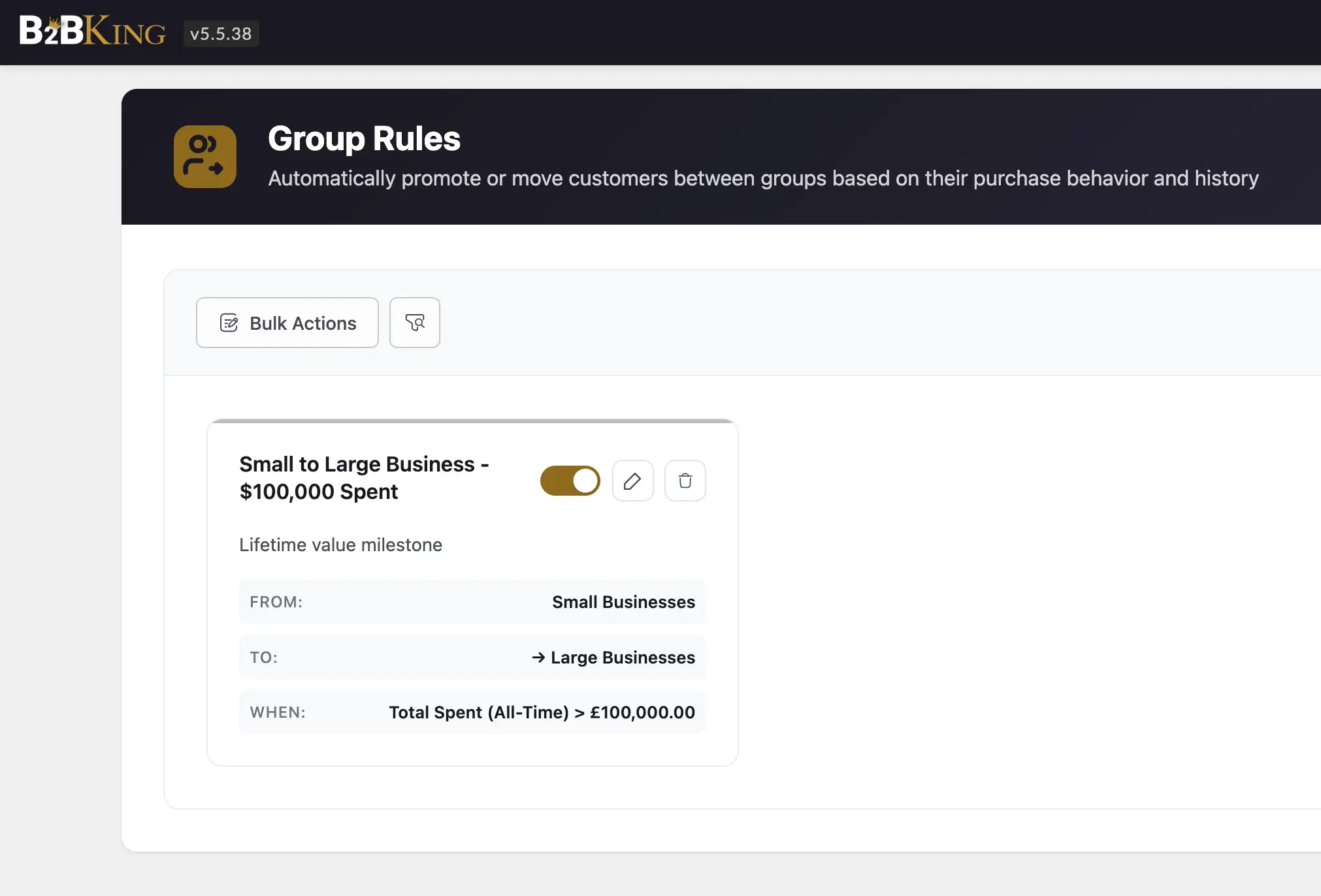
This turns your customer structure into something dynamic rather than a static list you maintain by hand, and it removes the administrative burden of deciding who qualifies for what at any given moment.
4. Customer Relationships and Mini CRM
Wholesale is fundamentally a relationship business. You will likely know many of your larger customers by name, remember their preferences, and carry notes about their renewal cycles or the quarter their warehouse flooded. B2BKing includes a Customers page with built-in mini CRM Hub so this context lives inside your shop rather than being scattered across spreadsheets and email threads.
For each customer you can:
- Open their profile and add private notes visible only to your team
- View all uploaded files, such as business licenses or tax exemption certificates
- Upload your own files into their record for future reference
- Sort customers by total spent to surface your most valuable accounts
- Search by company name to pull up every user and order associated with that organization
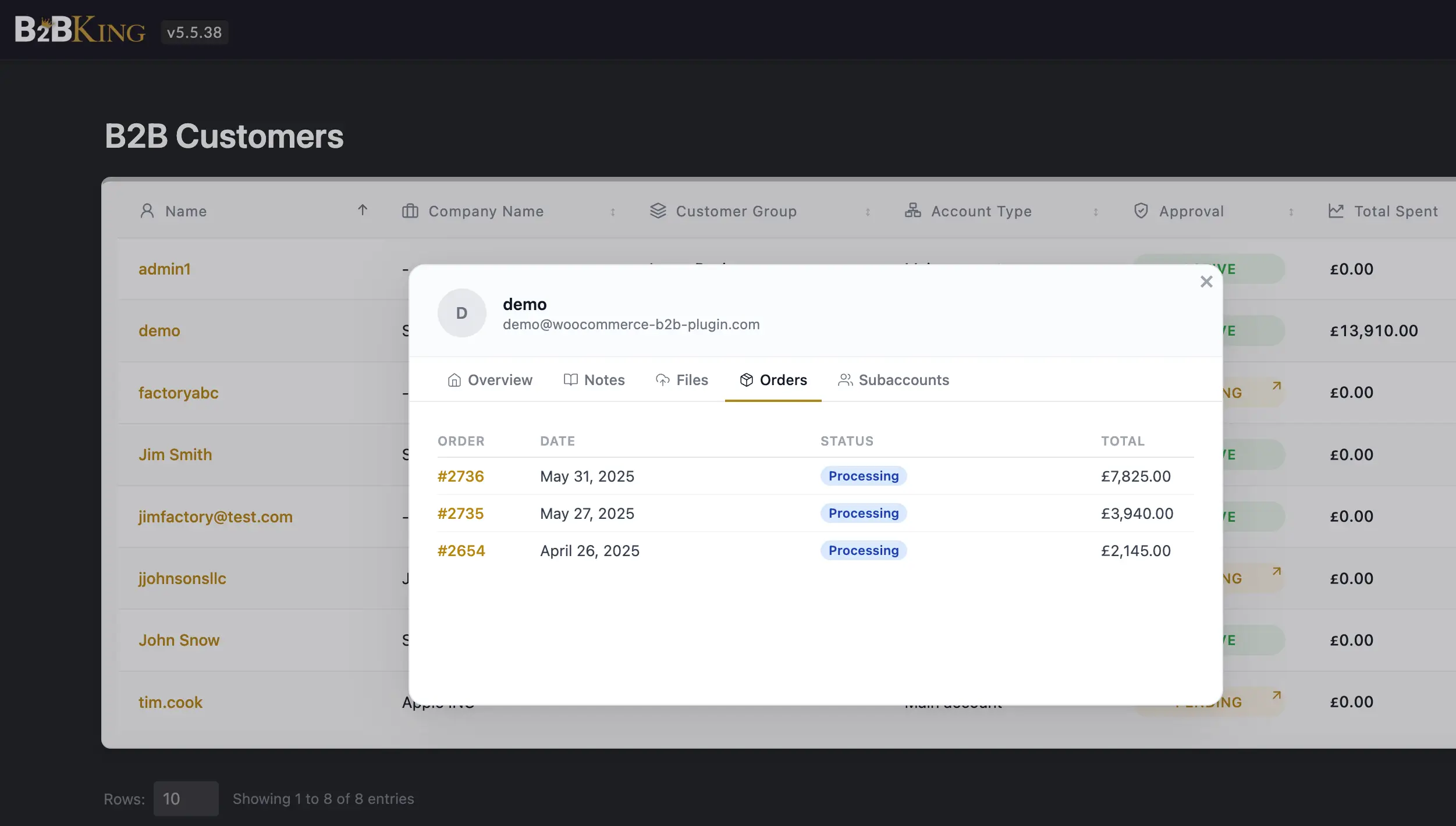
Over time, this becomes the single source of truth for the wholesale side of your business, and it spares your team the slow work of reconstructing context each time a customer reaches out.
5. Minimum and Maximum Orders
Minimums and maximums are another area where one-size-fits-all rules break down quickly. You might enforce a global rule that wholesale orders must be at least $500, but you may also want a higher minimum for a specific distributor group, a per-product minimum on items that only make sense in bulk, or a maximum for newly registered accounts until they have established a track record.
B2BKing accommodates all of these cases. You can set minimums and maximums on products, carts, customers, or groups, and layer them as needed. A common pattern is a cap on new customers combined with a group rule that promotes them to a higher tier (with no cap) once they have placed a few successful orders. This keeps exposure low for first-time buyers without adding friction for established ones.
6. Separate Wholesale and DTC Inventory
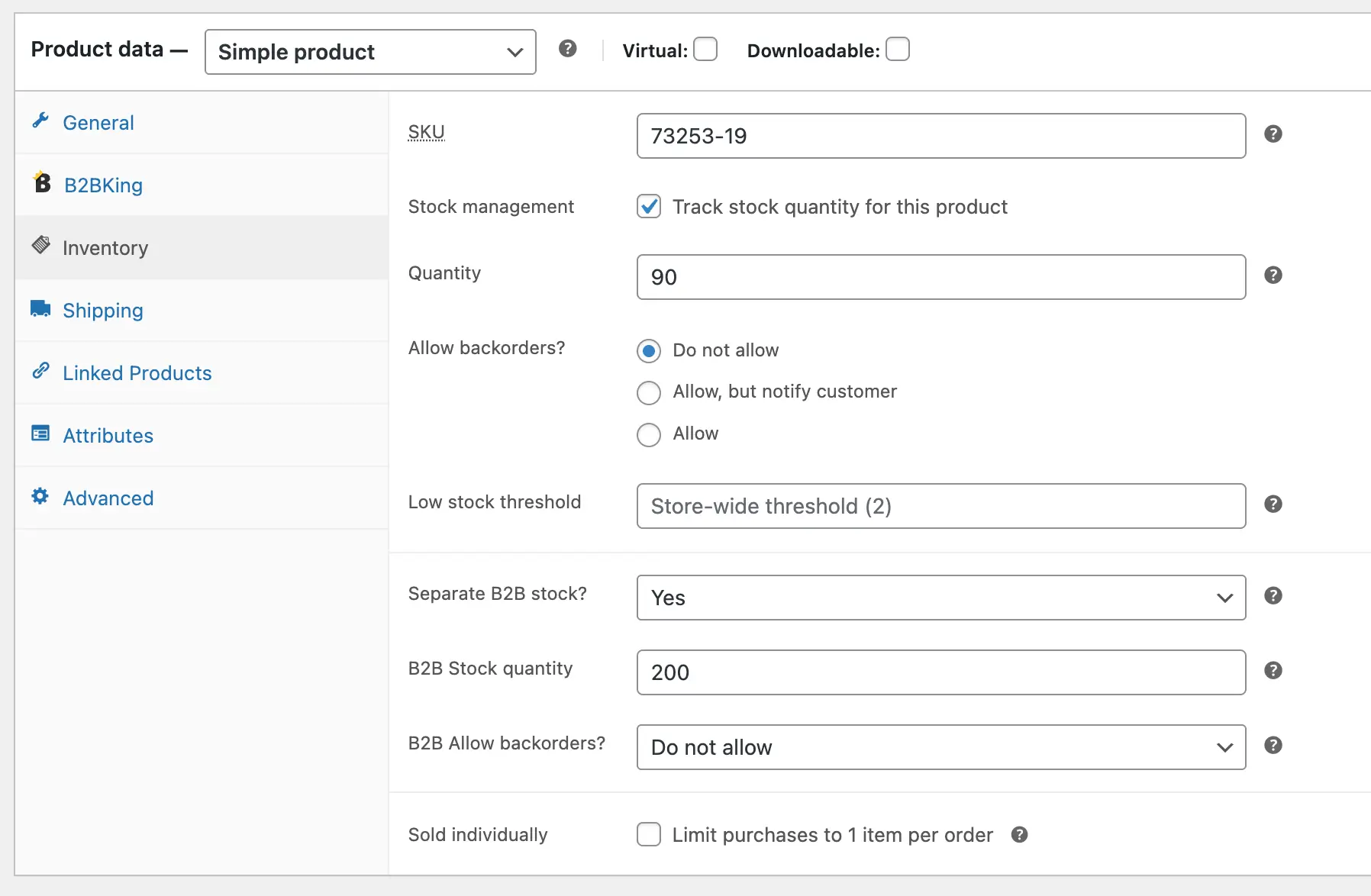
Many stores today run a hybrid model, selling both to end consumers and to wholesale buyers from the same catalog. That creates a familiar tension: a single large wholesale order can deplete the stock your DTC customers were counting on, or a viral product spike can drain inventory before a distributor has placed their monthly order.
To address this, B2BKing lets you reserve a portion of your inventory specifically for wholesale or specifically for DTC. You can also mark certain products as always in stock for B2B, which ensures that your wholesale customers can place orders even when the public-facing stock level reads zero, and then fulfill those orders against incoming restocks. The goal is to let both sides of your business coexist without one continually starving the other.
7. Quote Requests
Not every wholesale interaction is a straightforward purchase. Buyers often want to confirm availability, negotiate a custom price on a large order, or obtain a formal offer they can submit to their accounting department. Regardless of your stock and price settings, you can allow wholesale buyers to request quotes on any product.
The configuration here is intentionally flexible. You can hide prices entirely and make quotes the only way to buy, which suits industries where pricing is always negotiated. You can show prices and still allow quotes, for customers who want to push for a better rate on bulk orders. When a quote arrives, you respond with a custom offer that the customer can purchase in a single click at whatever price you set. Offers can be emailed automatically or downloaded as PDFs for record keeping.
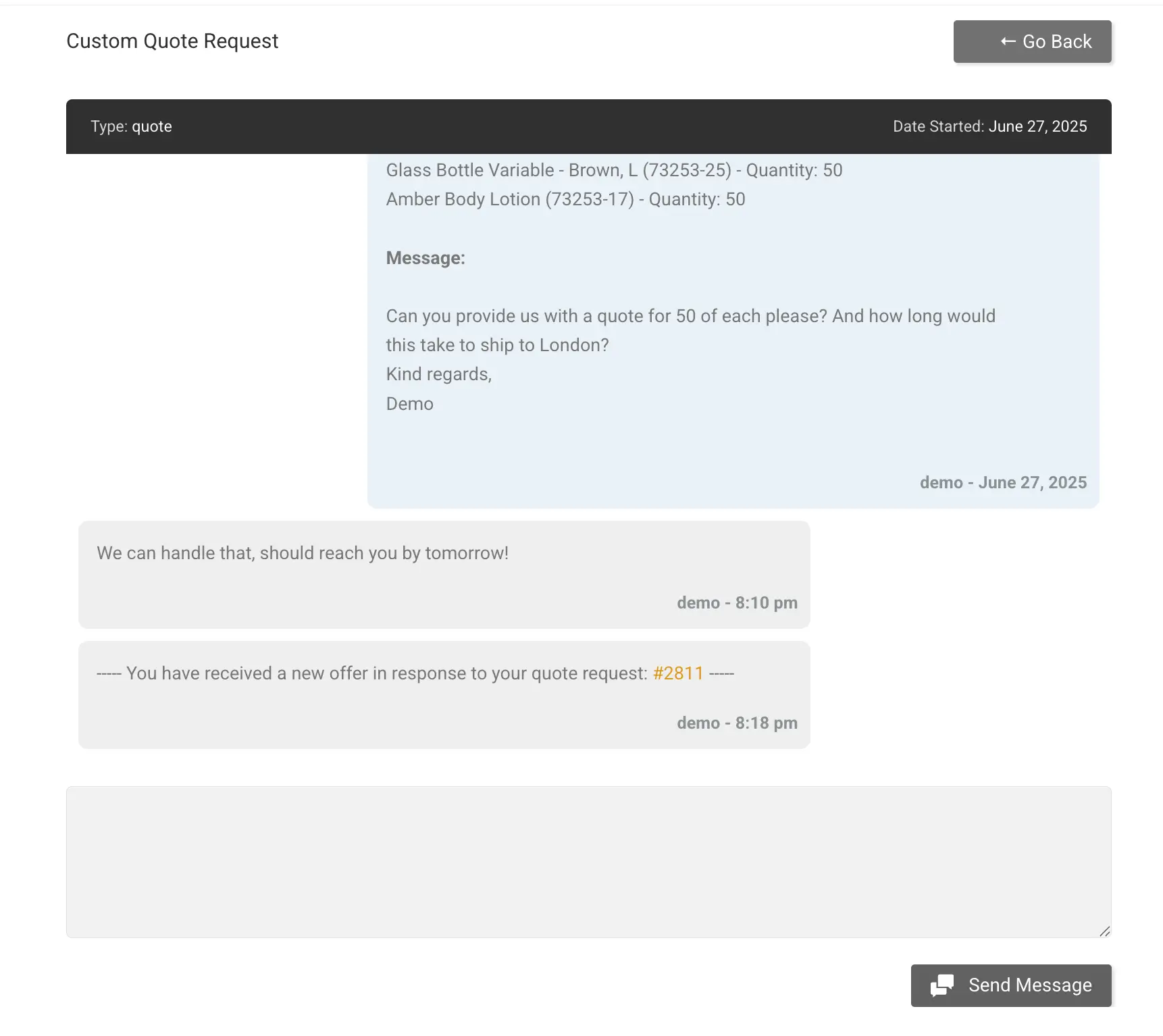
Quotes and conversations live in the same place. You can message back and forth, attach files, negotiate, and eventually agree, all within a single thread. This is a substantial improvement over the typical arrangement of switching between your shop, your email, and a separate chat tool every time a customer has a question.
8. Company Accounts and Subaccounts
Your wholesale buyers are rarely a single person at a laptop. They are purchasing departments, branch networks, or small teams in which different people hold different responsibilities. B2BKing's subaccounts feature is built for this reality.
Each main wholesale account can create subaccounts and assign permissions to each one individually. The range of setups this supports is broad:
- A junior buyer who can view orders and build carts but not submit them
- A manager who can submit orders, but only after the main account approves
- A senior buyer who can place orders without any restriction
- A bookkeeper who can see invoices but not negotiate quotes or create offers
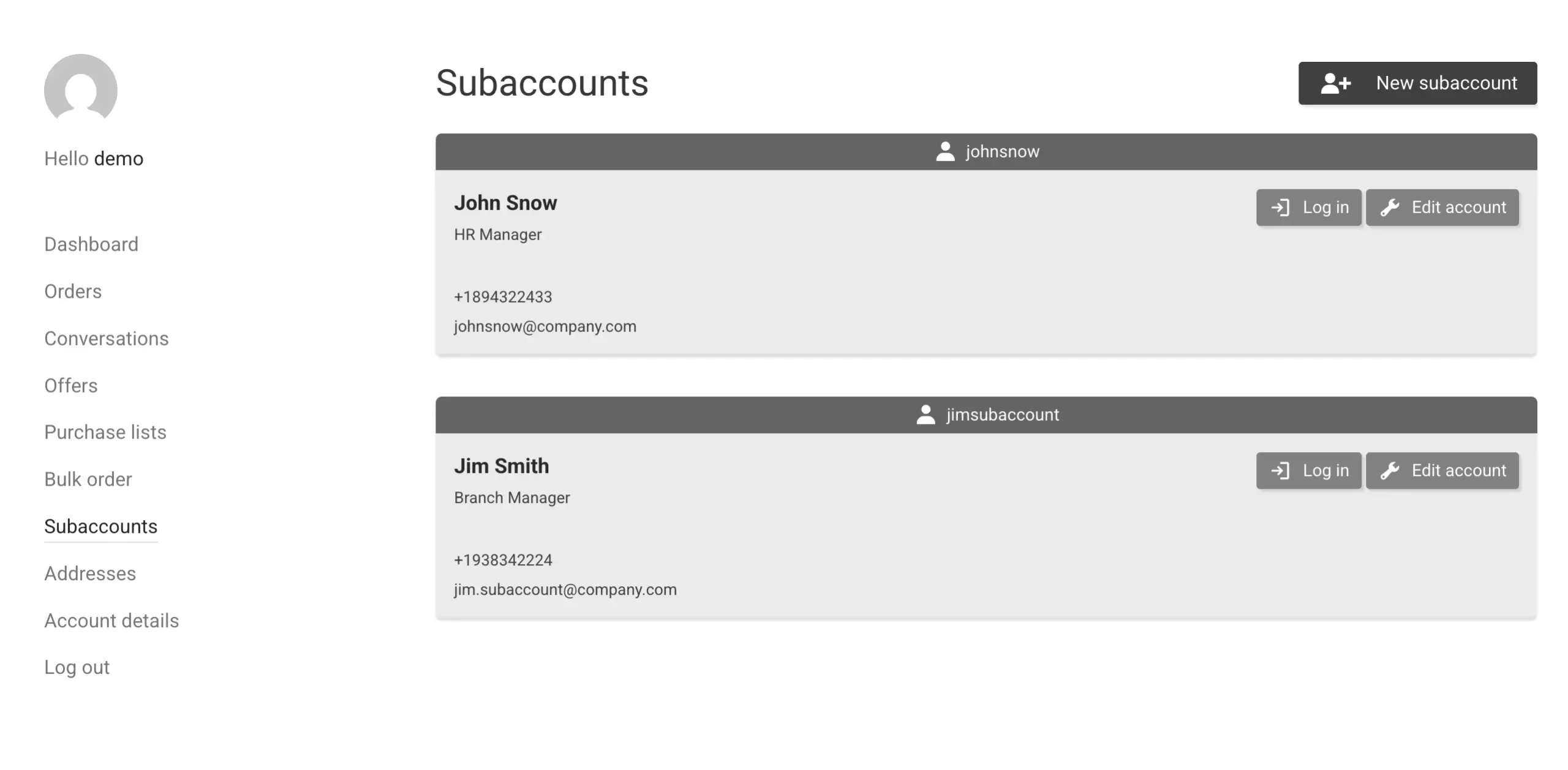
Permissions for conversations, offers, and saved lists can be controlled separately from order permissions, so each role ends up with exactly the access it needs and nothing more. This mirrors how purchasing teams actually operate, and it removes the awkwardness of customers sharing a single login across multiple people.
9. Requisition and Purchase Lists
Wholesale buying is repetitive by nature. A retail shop that buys from you every two weeks will order roughly the same mix of products each time, with small variations in quantity. B2BKing's requisition lists are built around exactly this pattern.
Customers can create named lists of products, or save their entire cart as a list in a single click. The next time they reorder, they add the whole list to the cart, adjust quantities where needed, and check out. Lists can also be downloaded as CSV files, which matters for buyers who maintain their own procurement records outside your shop.
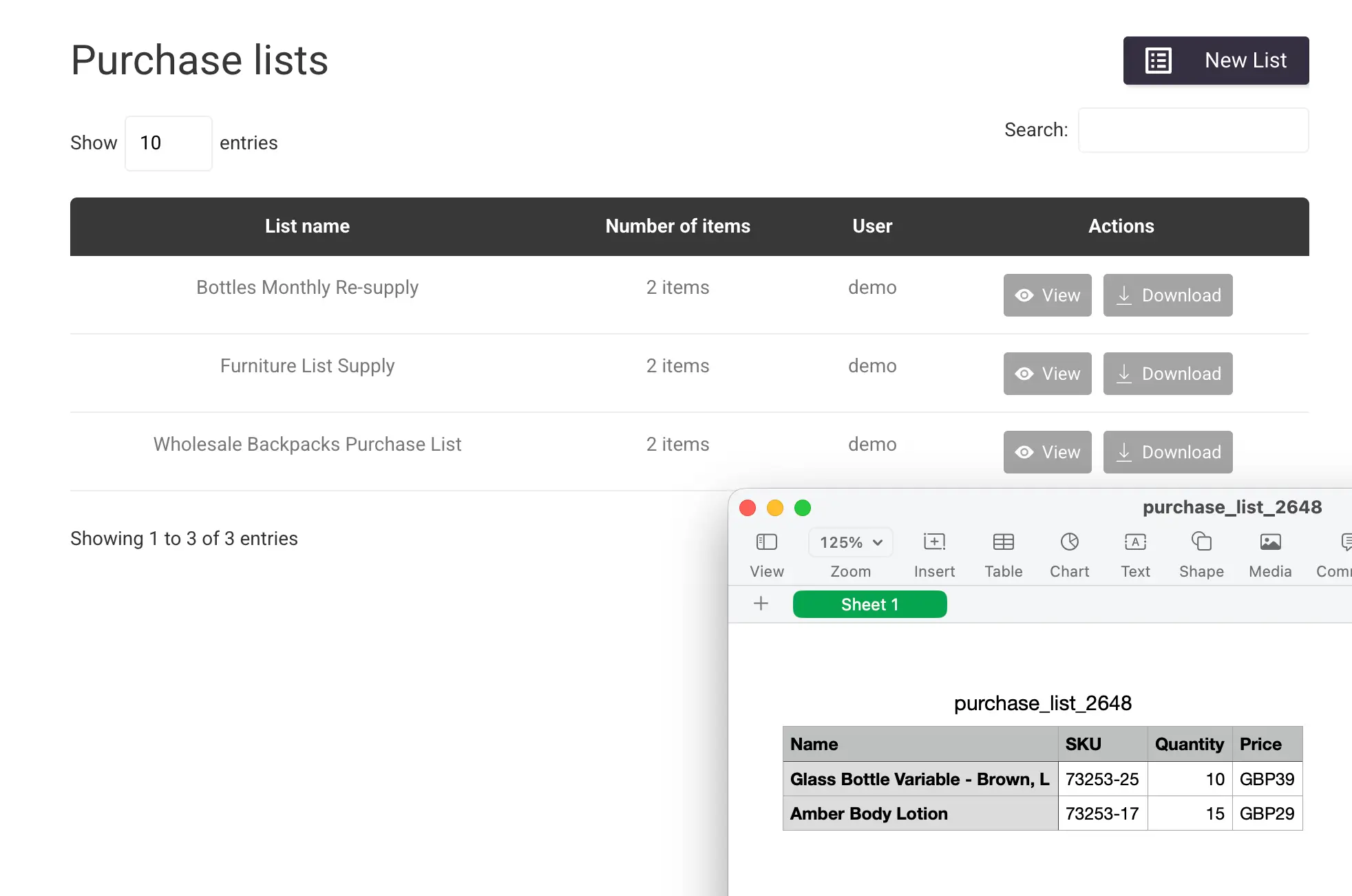
None of this is revolutionary in isolation, but it is exactly the kind of small convenience that compounds into meaningful time savings for customers who buy from you dozens of times a year.
10. Tax
Tax handling is one of the areas where wholesale diverges most sharply from DTC. Some customers will be tax exempt, others will pay different rates based on country or industry, and business-to-business tax rules vary by jurisdiction in ways that a consumer-focused tax plugin is rarely designed to accommodate.
B2BKing is built to adapt. You can mark specific customers or groups as tax exempt, apply different rates to different groups, and combine these settings with the shop's standard tax engine for the rest of your catalog. For EU sellers, the plugin also includes built-in VIES validation, which checks buyer VAT numbers against the official registry at registration or at checkout, so you can apply reverse charge rules correctly without building the validation pipeline yourself.
11. Wholesale Order Form and Bulk Ordering
The default WooCommerce shop page is designed for browsing. Wholesale buyers are not browsing. They know what they want, and they want to move it into the cart as quickly as possible. The order form view addresses this directly by presenting products as a compact list where buyers simply type in the quantities they need.
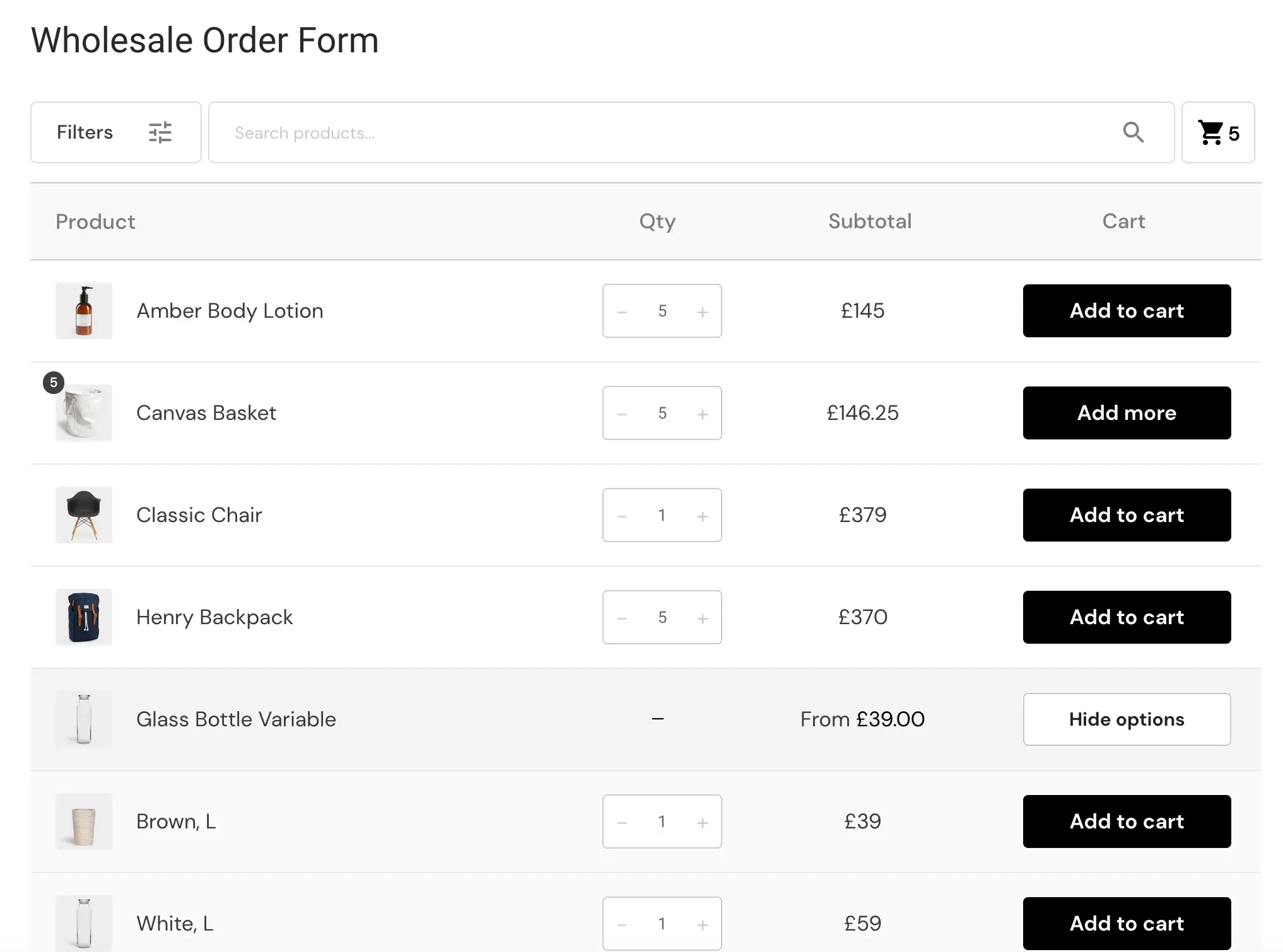
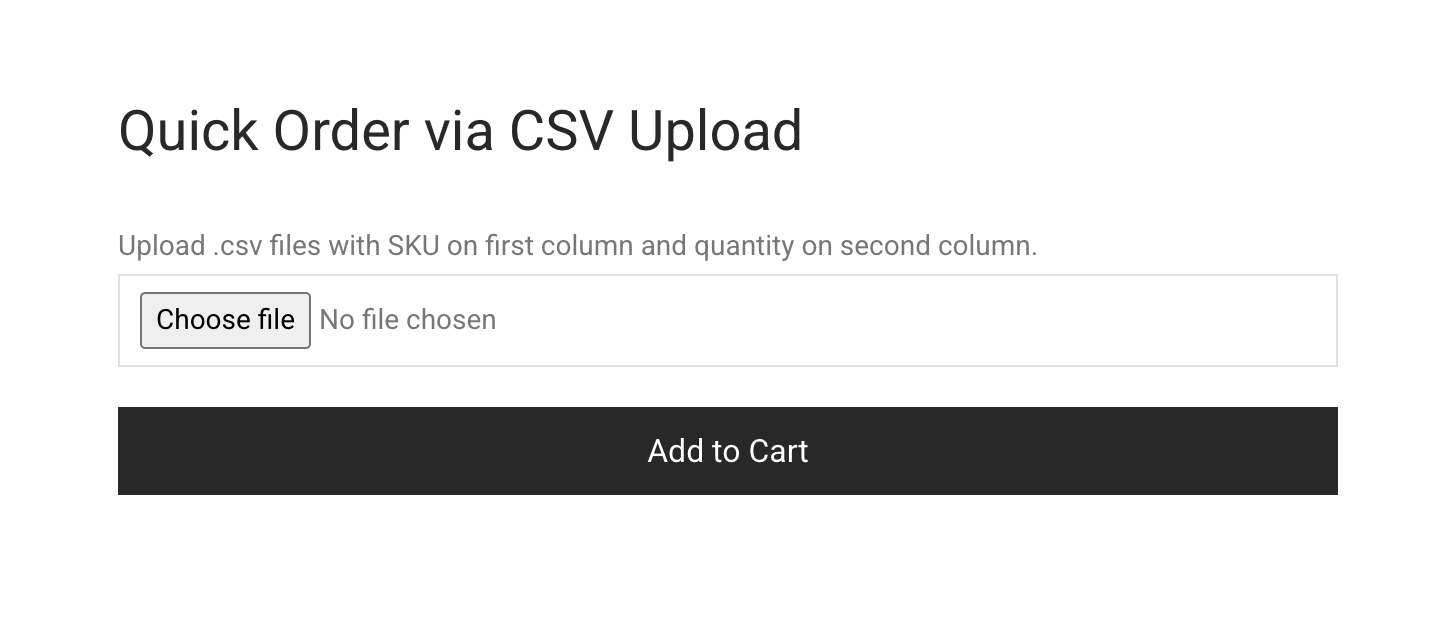
If you sell products with sizes or variations, buyers can enter quantities for every variation at once rather than clicking through each one individually. For buyers who maintain their own purchase files, the plugin also accepts CSV uploads that populate the cart instantly with the right products and quantities. A checkout that previously required ten minutes of clicking can be completed in a fraction of that, which is exactly the experience a repeat customer expects.
12. Registration and Onboarding
Wholesale registration is almost never a one-click affair. You need to collect business information, verify it, sometimes request uploaded documents, and often review the application manually before granting the account access to prices or products.
B2BKing includes a full registration form builder. With it you can:
- Create custom fields of different types: text inputs, dropdowns, file uploads, checkboxes, and so on
- Mark fields as required or optional
- Assign new registrations to specific groups automatically based on field values
- Configure automatic approval for straightforward applications, or manual approval where human review is warranted
- Require license uploads, resale certificates, or other supporting documentation before activation
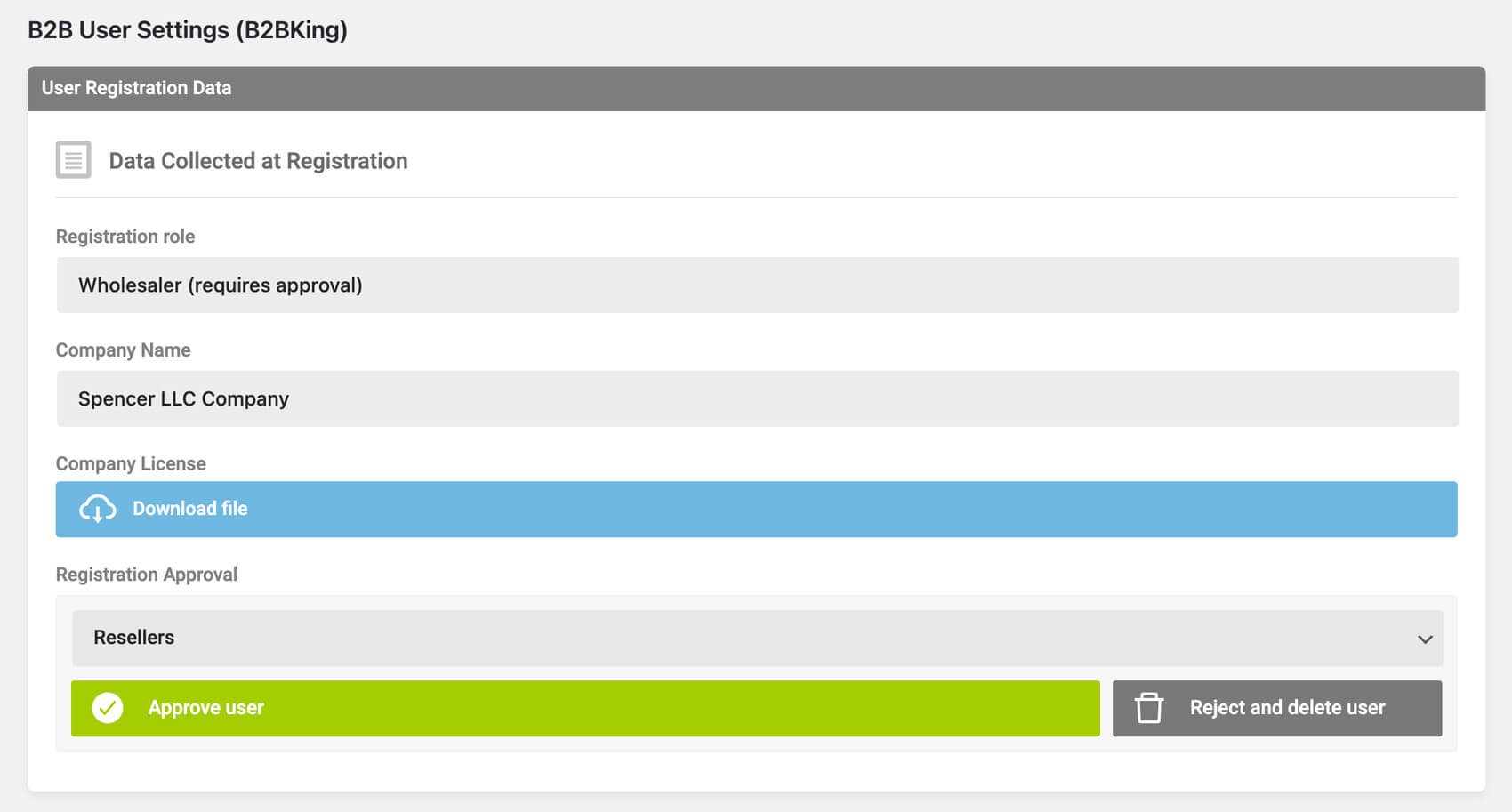
The result is that onboarding matches your actual business process, rather than forcing your process to adapt to a rigid template.
13. Restricting the Shop
Not every visitor should see everything. Many wholesale operations want to hide prices from the public entirely, or conceal the shop itself until a user has logged in and been approved. B2BKing lets you apply these restrictions at whatever level fits your business.
You can restrict individual products, entire categories, or prices across the shop for logged-out users. You can require login and approval before any content becomes visible. You can hide prices but still allow quote requests, which is a common pattern for distributors who want to capture qualified leads without publishing their rate card. The underlying theme repeats from earlier sections: you decide what your public face looks like, and the plugin accommodates the decision.
14. Other Features Worth Knowing About
Several additional features round out the system. Individually they might not justify choosing one plugin over another, but collectively they cover the gaps that usually force stores into workarounds:
- Custom taxes and fees. Handle jurisdictional quirks or add mandatory line items such as environmental levies or handling charges.
- Free shipping rules. Tie free shipping to groups, order values, product combinations, or any mixture of conditions.
- Multi-currency support. Sell to specific customer groups in specific currencies, useful when serving multiple regions with localized pricing.
- VIES validation. Automatic VAT number verification for EU buyers at registration and at checkout.
- Reports and analytics. Compare wholesale and DTC performance side by side, break down revenue by customer group, and track trends over time.
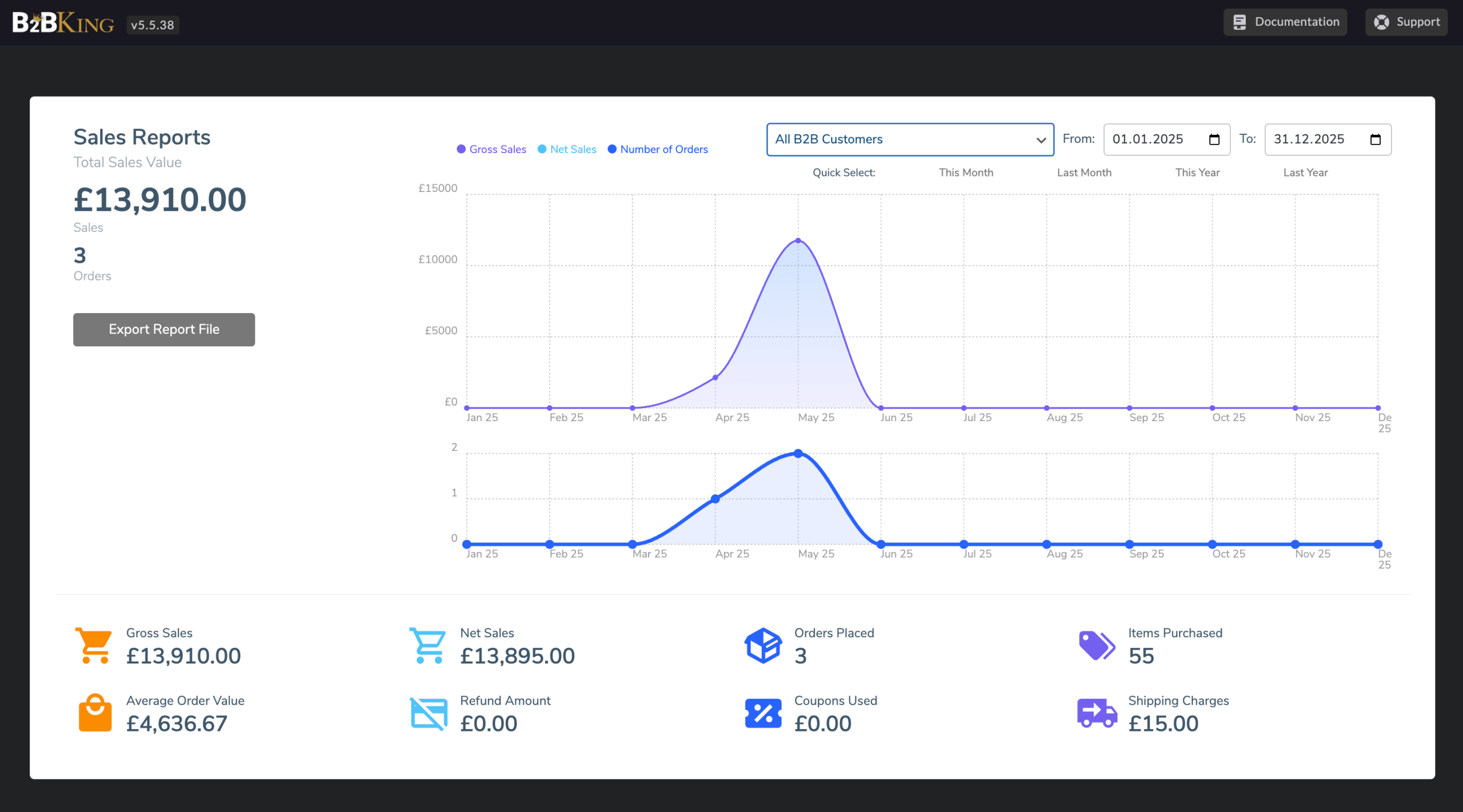
None of these features are remarkable on their own. Taken together, they are the adjustments that let you run your business the way you intend to run it, rather than continuously working around the limitations of your tools.
Bringing It All Together
The thread running through every one of these features is that wholesale is a system, not a collection of isolated capabilities. Pricing connects to customer groups. Customer groups connect to payment methods, tax rules, product visibility, and minimum orders. Subaccounts connect to permissions, which connect back to orders and quotes. A change in one place ripples through the others, and a well-designed plugin is one in which those connections are already wired up on your behalf.
B2BKing is built around precisely that premise. It is not a handful of bolted-on features but a complete system that carries you from the first registration form a prospect fills out, through every quote, order, and reorder that follows, while keeping the relationship organized along the way. If your operation is anything more ambitious than a static wholesale price list, flexibility is where the value lives, and the integration between features is where that value compounds.

