
WooCommerce Request a Quote – Plugin for Business & Wholesale
September 2021 Update:
Version 3.8.0 of B2BKing adds some exciting new improvements and enhancements to Quote Requests. You can now:
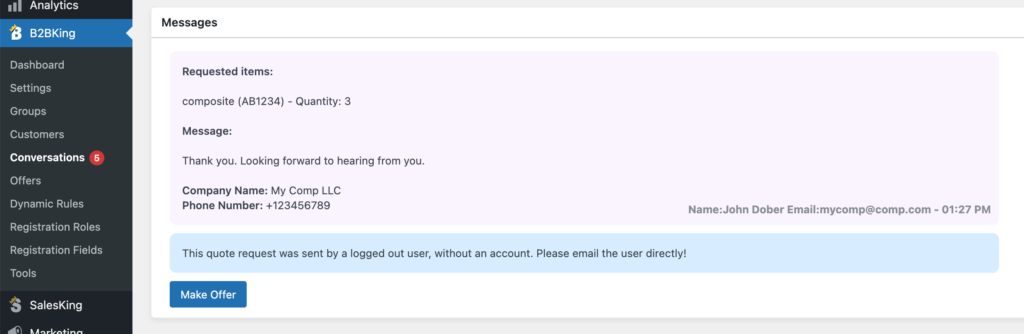
- Directly convert quote requests you receive into offers/quotes
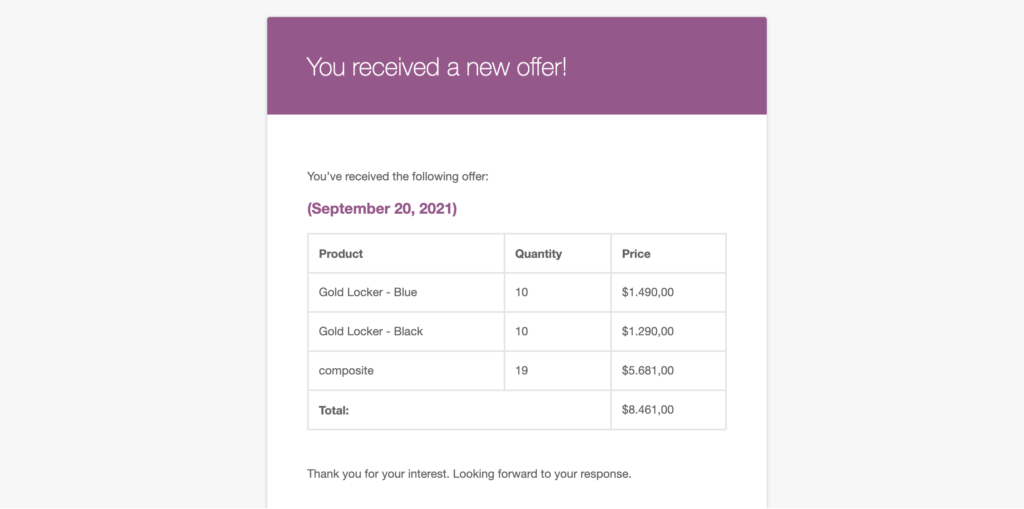
- Email offers directly to users
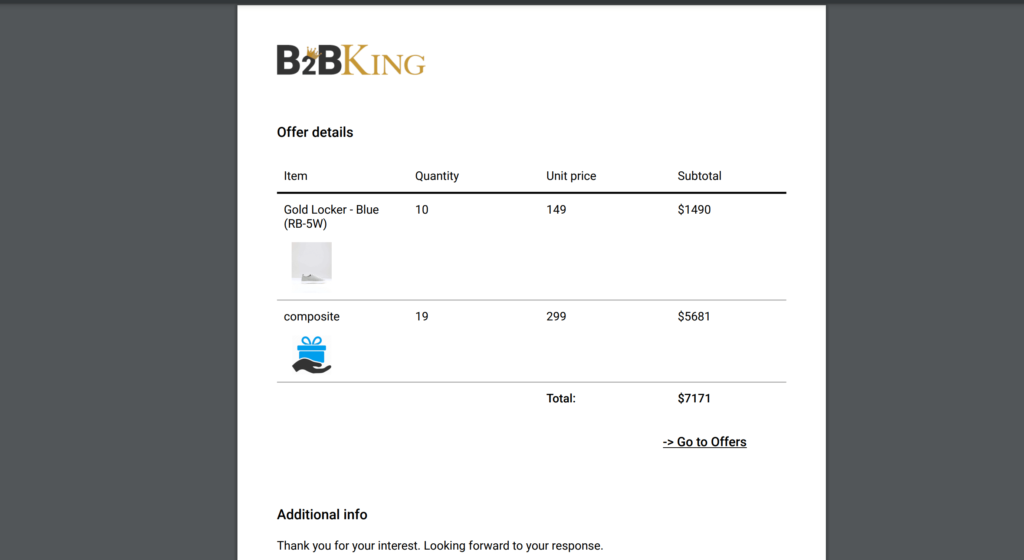
- Users can download offers as PDF files with your company logo
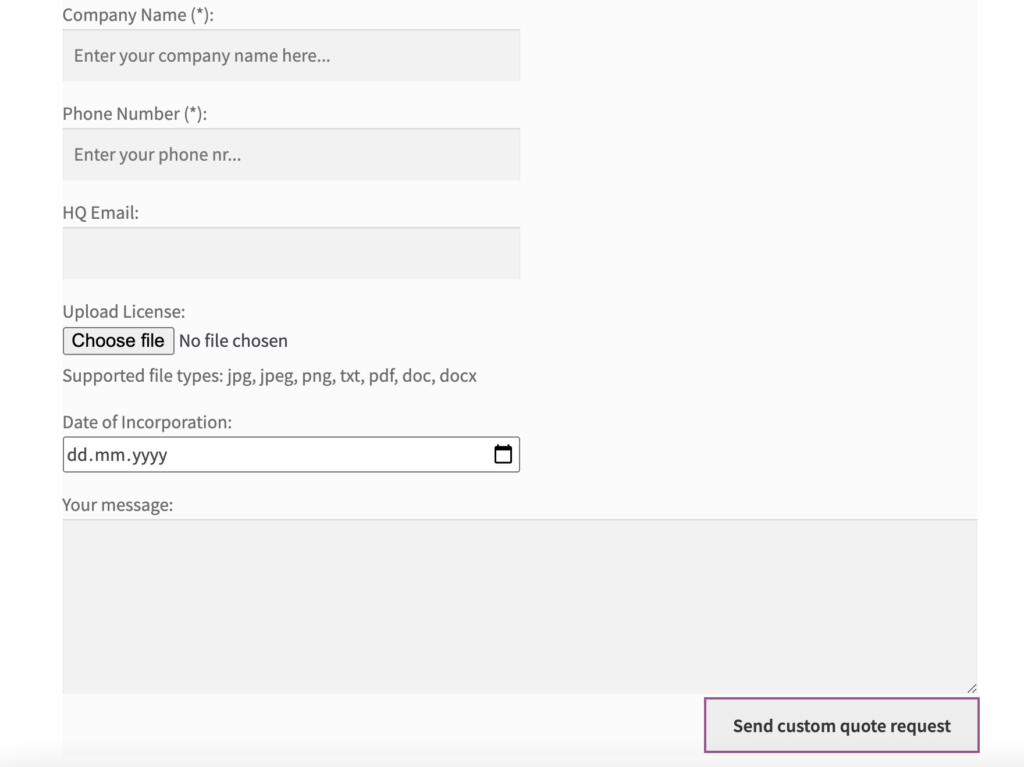
- Add custom fields to the quote form, choosing from 9 field types including text, number, phone, date, file upload, and more.
Original Article:
If you're looking for a quote request solution for your wholesale store, B2B portal, or private membership store, you're in the right place. B2BKing is the ultimate wholesale plugin with over 137 premium features for WooCommerce business-to-business shops.
The plugin has a dedicated quote request feature that allows you to hide prices and receive quotes instead of orders. This can be enabled for logged-out users, for B2C users, or for specific B2B groups that you set up with the plugin.
Quote Requests for Guests
One of the most common use cases in wholesale stores is enabling quotes for guests while allowing logged-in, verified users to check out directly. B2BKing lets you do this by setting up manual/automatic registration approval and by enabling quotes for guest access restriction.
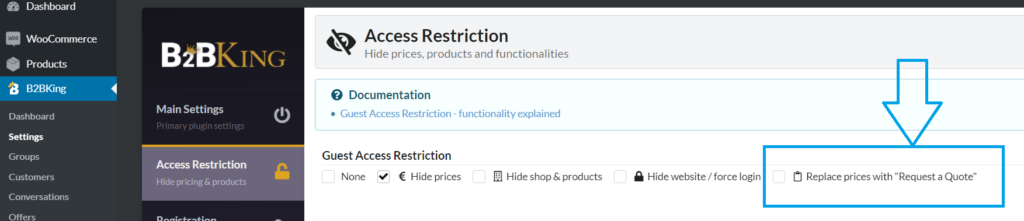
Once this setting is enabled, several things will change for guests:
- The add-to-cart button is either hidden or disabled (depending on the theme)
- Checkout is no longer possible
- Prices are hidden
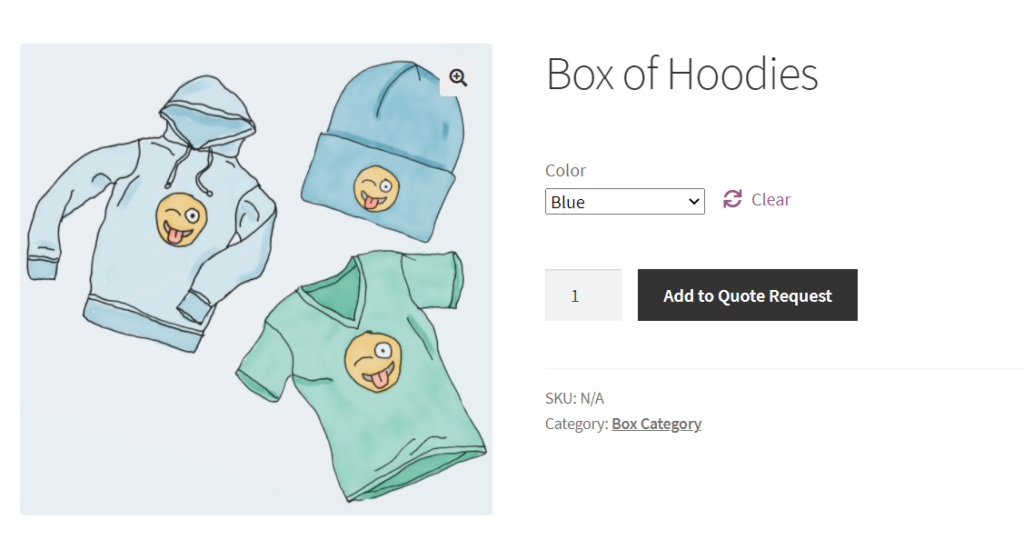
- An "Add to Quote" button is displayed instead
Here is what that looks like for a variable product:
And here's what the cart looks like, now replaced by a quote basket:
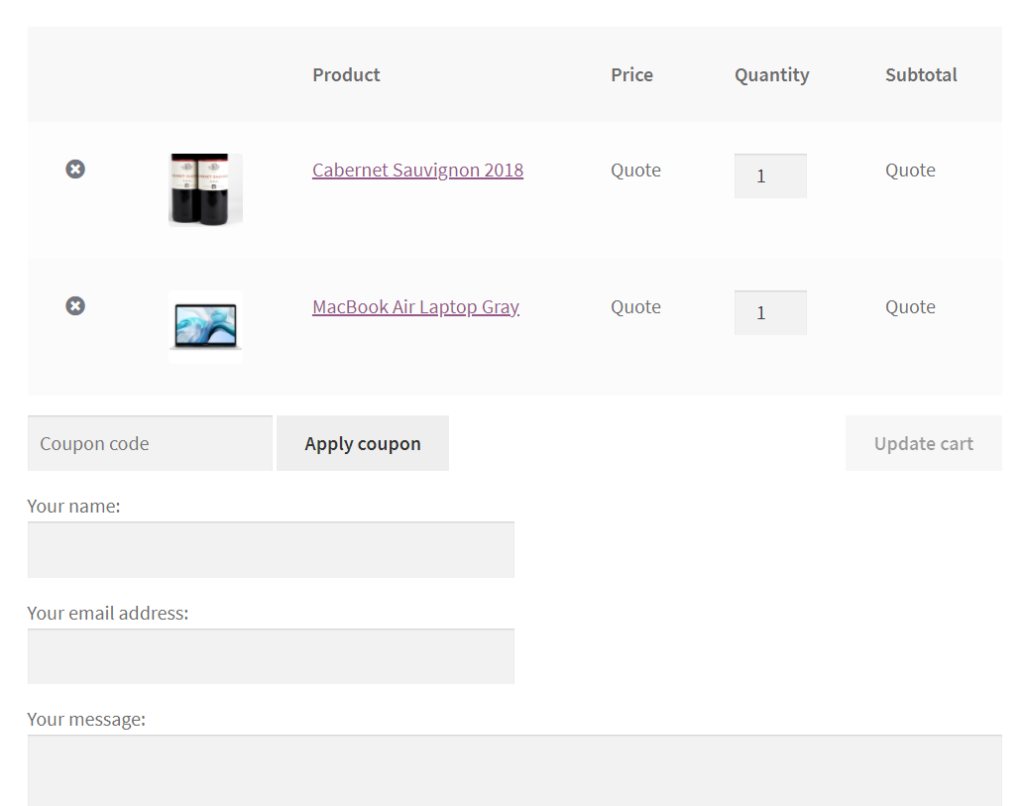
As shown in the image above, users are prompted to fill in their name, email address, and message. This information is sent to the shop through the backend and via email notifications.
How Quote Requests Work
Quotes can be the only purchasing mechanism on your site, or they can be enabled alongside the typical cart system. To use both, you can enable a "Request a Custom Quote" button in the cart, giving users a choice between checking out and requesting a custom price.
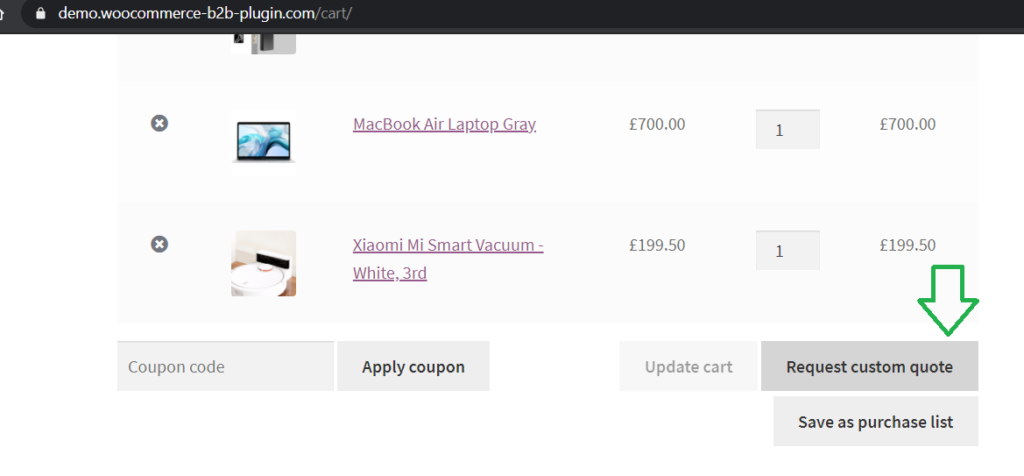
When customers request a quote, email notifications are sent out to notify the shop. The customer is also notified when they receive a response.
Additionally, there is a built-in integration with the plugin's Conversations functionality, which allows messaging and negotiation following a quote request. Customers and the shop can message back and forth.
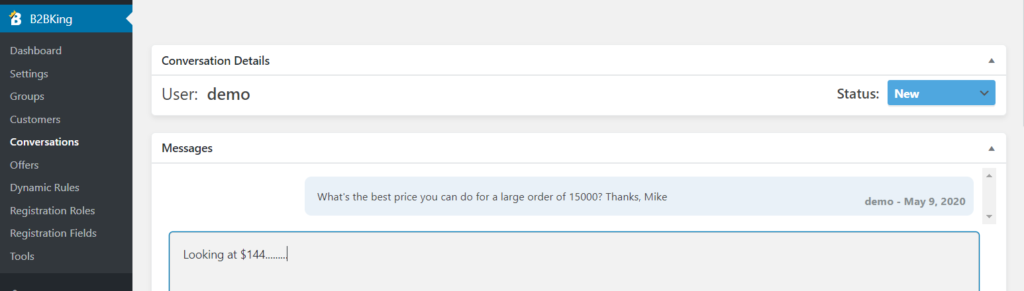
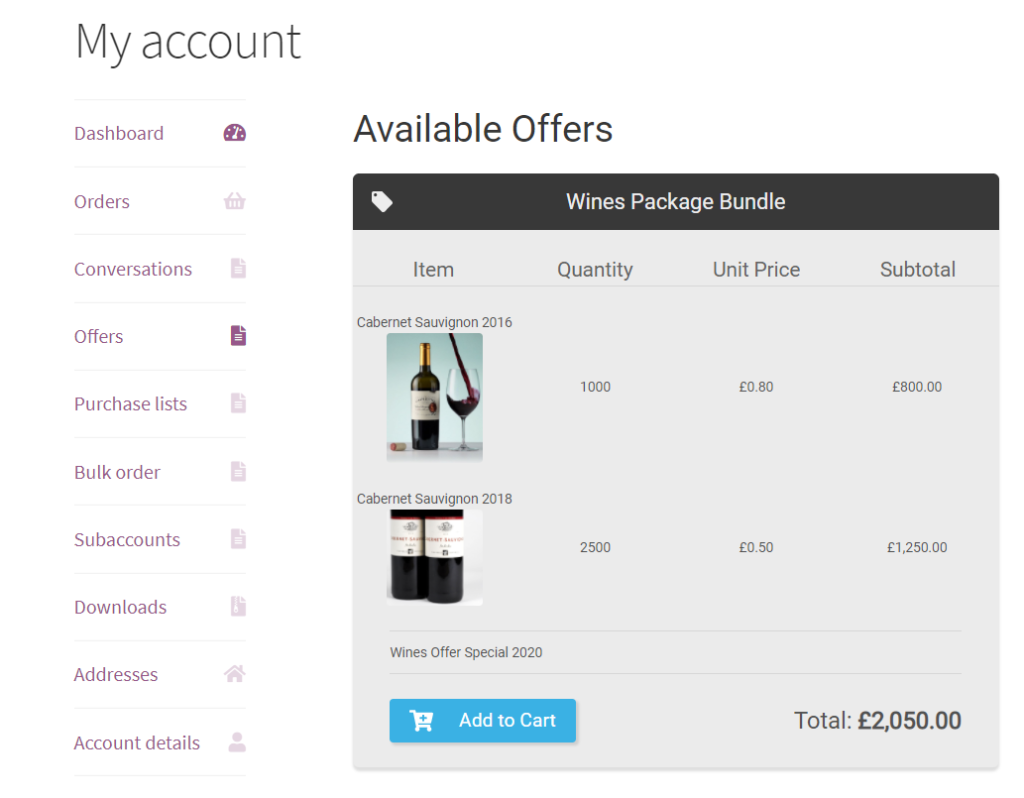
Once a price has been agreed upon, the shop can create a specific offer for the user through the plugin's "Offers" panel. Offers are packages that the shop creates and assigns visibility for.
For example, an offer can be a promotional holiday bundle that specific user groups can access, or it can be a custom offer made to just 1 customer.
Customers can see the offers available to them in their My Account section, where they can add these offers directly to their cart.
More about B2BKing
The above covers just a few of the plugin's main features. Many other functions are integrated together to create the ultimate wholesale experience for your customers.
For example, we've seen how users in the cart can either check out or request a custom quote. Another available option is to save the cart as a purchase list (requisition list) for later use. The purchase lists functionality is ideal for activities like replenishing stock or making repetitive purchases.
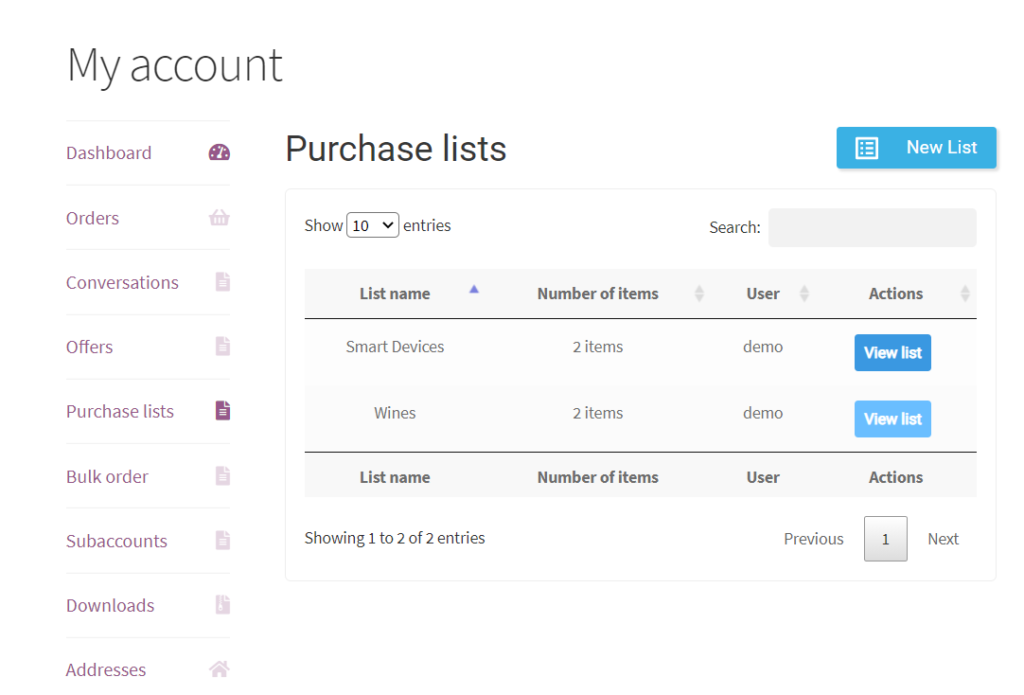
Just like offers and conversations, purchase lists also appear in the user's My Account panel, where lists can be created or managed.
Purchase lists are integrated with the Bulk Order Form as well. The bulk order form can be used to place a quick order or to save the form as a list for easy access later.
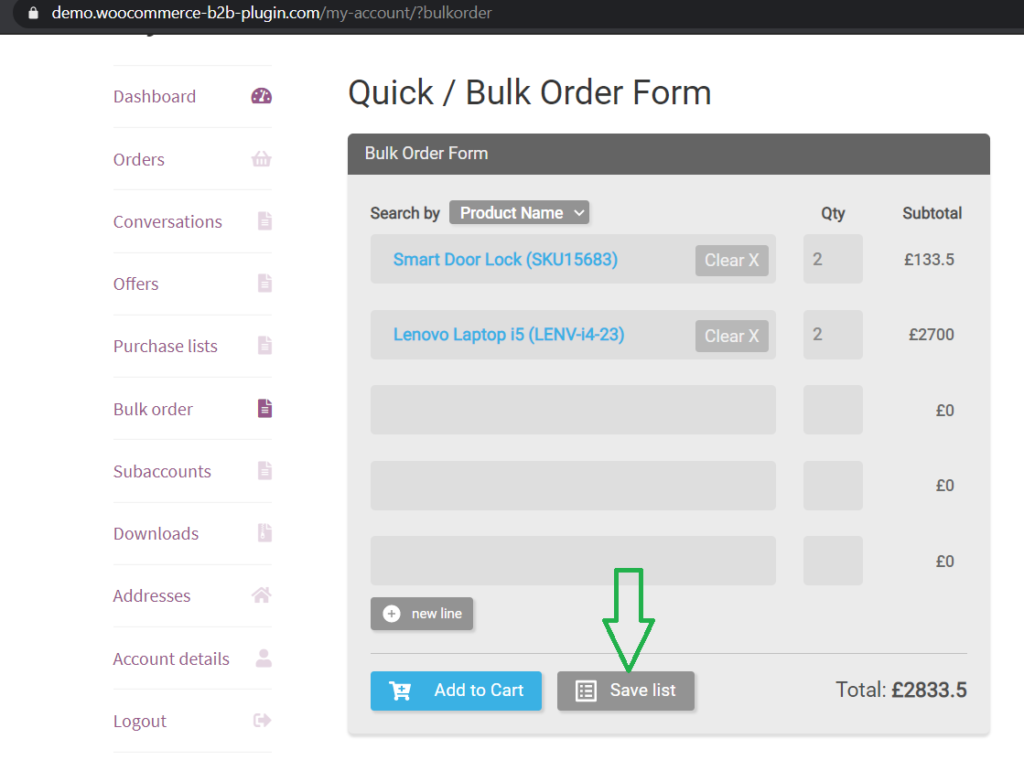
The bulk order form is a great way for users to order quickly. It is also integrated with the plugin's powerful dynamic rules and custom wholesale pricing system.
Quick Plugin Overview
B2BKing is a complete B2B and wholesale plugin for WooCommerce with over 137 premium features, including:
- Wholesale Prices
- Tiered Pricing and Tiered Price Table
- Bulk Order Form
- Request a Quote Functionality
- Conversations and Messaging System
- Invoice Payment Gateway
- Tax Exemptions
- Business Registration and Custom Registration Fields
- Subaccounts – Multiple Users on One Account
- Prices with or without Tax Based on B2B/B2C
- Offers and Product Bundles
- Bulk Discounts, Minimum Orders, Free Shipping, and More
- Hide Prices from Guests or Hide the Shop Completely
- Product Visibility Control
- Shipping and Payment Methods Control
- Coupon Restrictions for B2B or B2C
- Purchase Lists for Easy Reorders
- Automatic VAT Number Validation via VIES
- Content Visibility Control
- And much more!

